


Benefits of React: A Decision-Focused Guide for Frontend Teams



Modern web applications put consistent strain on frontend teams. Interfaces grow more interactive, application state becomes harder to reason about, and small UI changes can cascade across the codebase. The challenge often isn’t shipping features and keeping the interface predictable, maintainable, and easy to evolve as requirements change.
React is frequently chosen to address these pressures. Aggregated data compiled by tkrotoff, based on the Stack Overflow Developer Survey, shows that over 40% of professional developers use React, making it the most widely adopted web UI library among surveyed frameworks. That level of usage reflects how often teams depend on React to manage complex user interfaces in production systems.
This article breaks down the practical benefits of using React from a decision-focused perspective. You’ll learn what problems React is designed to solve, how its core concepts influence daily development work, where it fits best, and when other frontend options may be a better choice
Core benefits of using React for web interfaces
React’s value shows up most clearly once teams start maintaining and evolving real interfaces. The benefits below focus on how React affects consistency, change management, and long-term frontend ownership areas where many products struggle as they grow.
Reusable UI components and consistent interfaces
React’s component model allows teams to define UI elements once and reuse them across the application. This goes beyond code reuse; it helps enforce consistency in behavior, structure, and interaction patterns.
In practice, this reduces UI drift as products expand. Updates to shared components propagate predictably, which is especially important when design systems or brand guidelines evolve over time. Teams spend less effort fixing the same UI issue in multiple places and more time improving the product experience.
Predictable interface updates
React ties interface rendering directly to application state, which makes UI behavior easier to reason about. When data changes, the interface updates in a controlled and traceable way.
This predictability matters when interfaces include conditional logic, permissions, or multiple interaction paths. Teams can more confidently modify state logic without worrying that unrelated parts of the UI will break, reducing regression risk as complexity increases.
Easier maintenance of complex views
As interfaces grow, maintenance often becomes more costly than initial development. React helps manage this by encouraging decomposition of complex screens into smaller, focused components.
This approach makes it easier to:
Isolate and update specific UI sections
Refactor parts of a view without impacting the whole
Understand ownership and responsibility within large interfaces
By keeping complexity localized, React supports long-term maintainability without forcing periodic rewrites, particularly within well-structured frontend development solutions.
Faster iteration on UI changes
React supports incremental change. Teams can adjust individual components, introduce new interactions, or refine layouts without restructuring the entire interface.
This flexibility enables:
Faster response to product and design feedback
Safer experimentation with UI adjustments
More frequent releases with lower coordination overhead
Over time, the ability to iterate without destabilizing the interface becomes a meaningful operational advantage.
Better separation between UI and application logic
React encourages a clear separation between UI rendering and underlying application concerns. While React focuses on how data is presented, other parts of the system handle business logic, data access, and infrastructure.
This separation makes frontend code easier to reason about and reduces coupling between layers. Teams can evolve UI behavior without entangling it deeply with backend or domain logic, which simplifies maintenance and onboarding.
Community support and ecosystem maturity
React’s long-standing adoption has resulted in a stable ecosystem with well-documented patterns and widely used supporting tools. This maturity reduces uncertainty during development and adoption.
For teams, this means:
Easier hiring and onboarding
Fewer edge cases that require custom solutions
Confidence that common UI problems are well understood
An established ecosystem lowers risk and supports React as a long-term choice rather than a short-term experiment.
Scenarios where React Is a strong fit
React tends to deliver the most value when frontend complexity becomes a limiting factor for product teams. In these situations, the challenge is less about building individual screens and more about managing how interfaces change, interact, and remain consistent across a growing codebase. The scenarios below highlight where React’s approach aligns well with real product needs.
Interfaces with growing interaction and state complexity
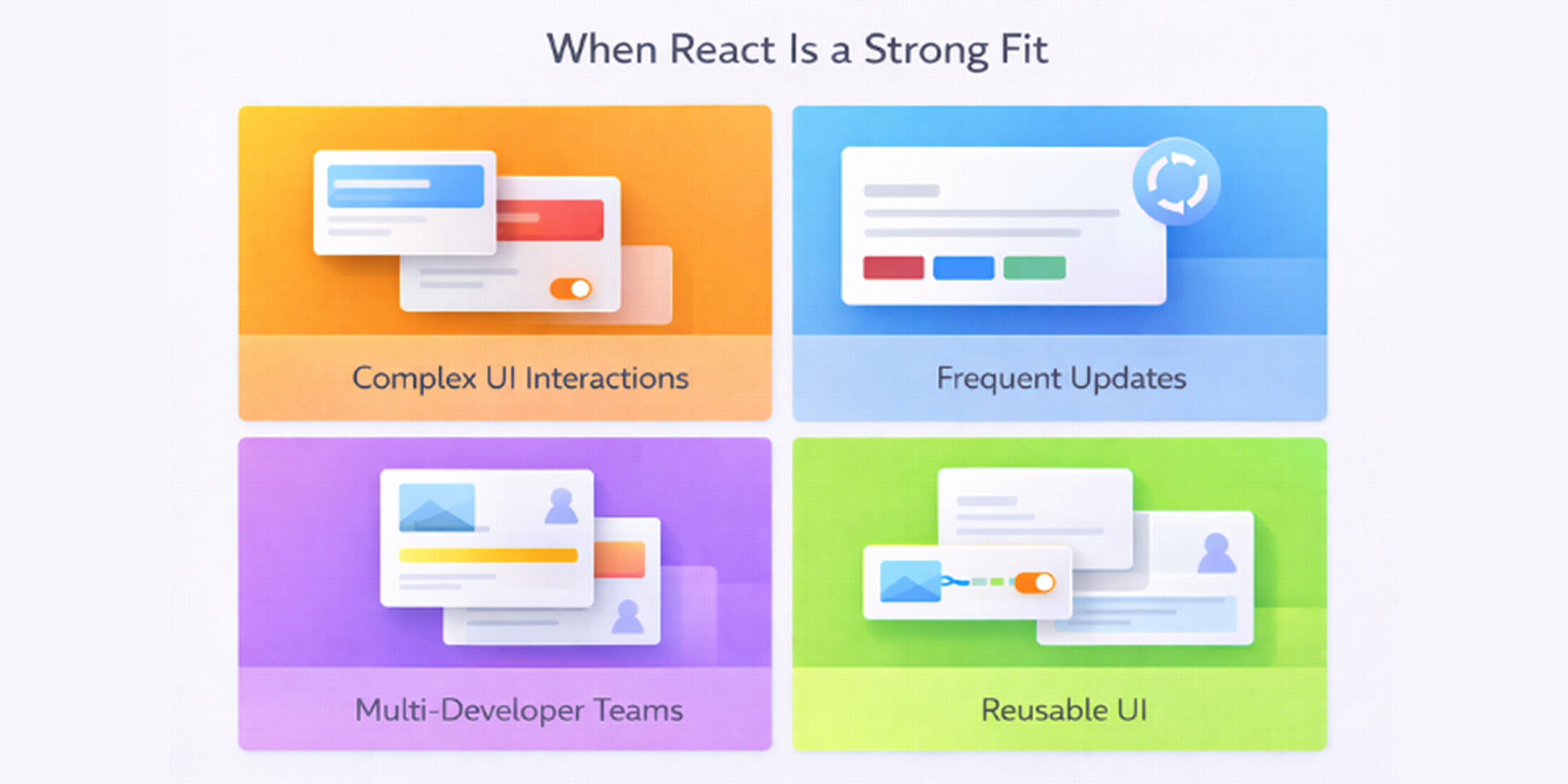
React is well suited for interfaces where multiple pieces of state influence what users see at any given moment. This commonly includes:
Conditional rendering based on user input or permissions
Shared state across multiple components
Interfaces that change in response to user actions
By making UI updates explicit and structured, React helps teams reason about interface behavior as complexity increases.
Products with frequent UI updates
Products that release UI changes on a regular basis benefit from React’s component-driven structure. Breaking interfaces into smaller, self-contained units allows teams to:
Update individual sections without affecting unrelated areas
Introduce new features with limited UI regression risk
Adjust layouts or interactions without rewriting entire views
This reduces friction as design and product requirements evolve.
Multi-developer frontend environments
React fits well when multiple developers contribute to the same frontend codebase. Clear component boundaries support:
Parallel development across UI areas
More focused code reviews
Easier handoffs and shared ownership
As teams grow, this structure helps maintain consistency without relying on informal conventions.
Interfaces reused across screens or products
React is a strong choice when the same UI patterns appear across multiple pages or even across different applications. Reusable components make it easier to:
Maintain consistent behavior and appearance
Apply updates in one place instead of many
Share UI logic across teams or projects using established React component patterns
This becomes especially valuable for design-system-driven products and platforms with multiple user flows.
Applications expected to evolve over time
For products with longer lifecycles, React supports gradual change. Teams can refine or replace parts of the interface incrementally, instead of relying on disruptive rewrites when requirements shift. This flexibility becomes increasingly important as user needs, design systems, and feature priorities change.
Understanding React’s role in modern frontend development
Teams often run into issues with React when expectations are unclear. React is frequently treated as a complete solution rather than a focused tool, which can lead to architectural gaps or misplaced responsibility during implementation.
Understanding what React is designed to handle and where its responsibilities end helps teams evaluate it realistically before focusing on its benefits.
What React handles at the UI layer
React is responsible for how the user interface is structured and updated. It manages UI components, controls how application state maps to what users see, and determines when parts of the interface should update.
In practical terms, React is typically responsible for:
Composing screens from reusable UI components
Handling user interactions such as form input and navigation triggers
Keeping the interface in sync with application state
This becomes especially valuable as interfaces grow more complex and UI logic needs to stay predictable across multiple views.
What remains outside React’s scope
React is designed to focus on the user interface and nothing beyond that. This narrow scope is intentional, but it often creates confusion when teams expect React to handle concerns that belong elsewhere in the system. Being clear about these boundaries early helps avoid design gaps and misplaced responsibility later.
React is intentionally limited in what it covers. It does not manage:
Server-side logic or APIs
Data persistence or databases
Authentication, authorization, or infrastructure
It also does not enforce a complete application structure. Decisions around routing, state management approaches, build configuration, and deployment remain the team’s responsibility. When these boundaries are misunderstood, React often gets blamed for problems it was never meant to solve.
How React integrates with the frontend stack
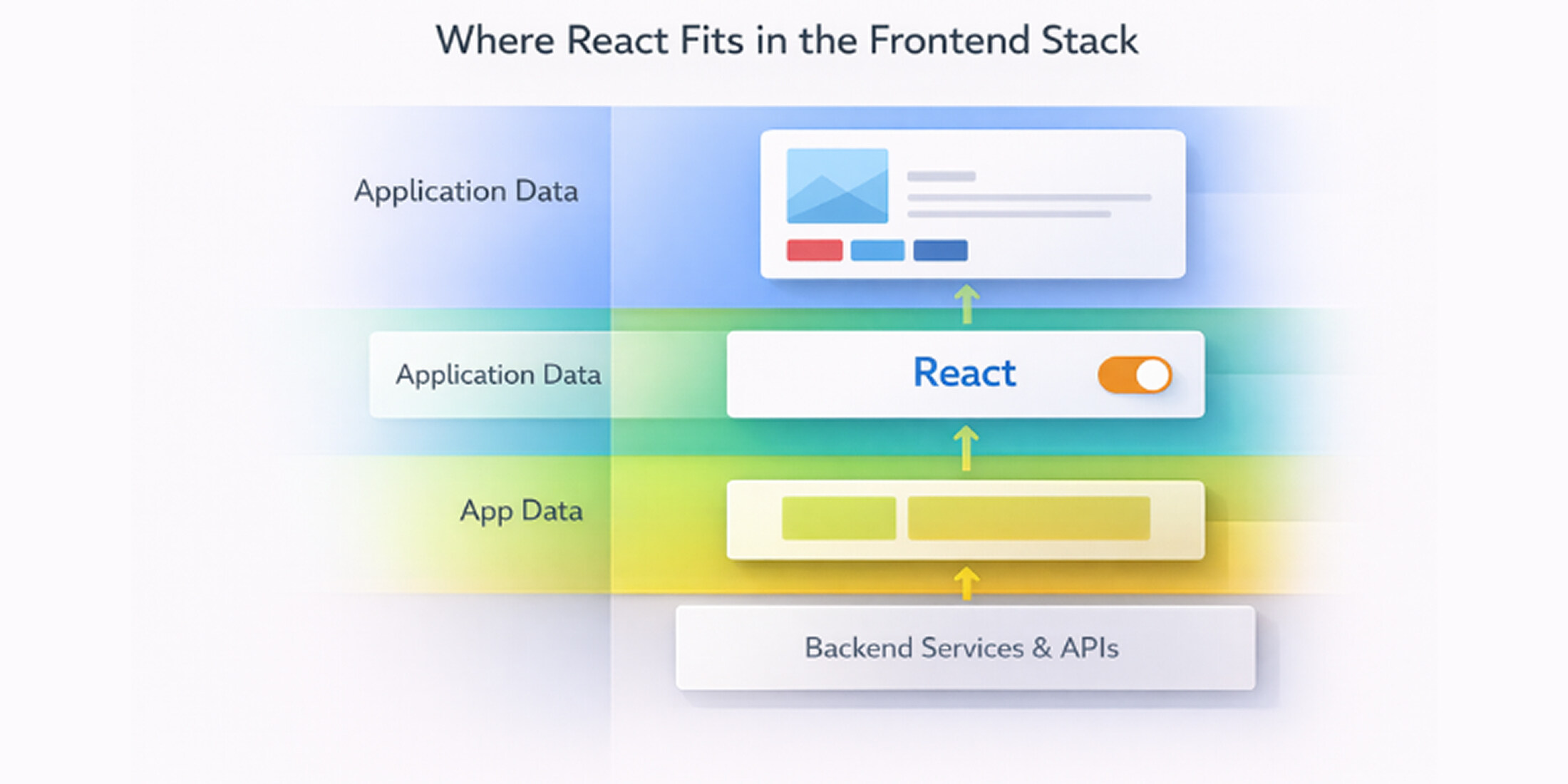
In real-world applications, React functions as one part of a broader frontend system rather than a standalone solution. It works alongside the strengths of JavaScript in the browser, CSS, APIs, and supporting libraries to translate application data into a responsive user interface.
React consumes data provided by backend services, applies UI logic within components, and renders the resulting views. This separation allows teams to combine React with different tools based on project needs, rather than being locked into a single, all-encompassing framework.
Design principles that shape how React works
React’s effectiveness comes from a small set of design principles that influence how user interfaces are structured, updated, and maintained.
These principles shape how teams think about UI development and explain why React performs well as applications become more complex, without requiring rigid frameworks or heavy abstraction.
Component-based UI structure
React organizes interfaces as a collection of components, each responsible for a specific part of the UI. Components encapsulate structure and behavior, allowing teams to reason about interfaces in smaller, manageable units.
In practice, this enables teams to:
Reuse UI elements across screens and features
Isolate changes to specific parts of the interface
Maintain consistency as applications grow
This structure reduces coupling between unrelated UI areas and makes large interfaces easier to evolve.
One-way data flow
React enforces a one-directional flow of data, where state is passed from parent components to child components. This creates a clear and traceable path for how information moves through the interface.
For teams, this results in:
Fewer hidden dependencies between UI elements
More predictable behavior when state changes
Easier debugging and reasoning about UI issues
By limiting how data flows, React reduces ambiguity in complex interfaces.
Declarative UI updates
React encourages a declarative approach to UI development. Instead of manually controlling how the interface updates, developers describe what the UI should look like for a given state.
React then handles how those changes are applied. This approach:
Reduces manual DOM manipulation
Keeps UI behavior consistent across updates
Allows developers to focus on intent rather than execution
Declarative UI logic is a key reason React remains manageable as interfaces grow in complexity.
UI update behavior and rendering strategy
React determines when and where the interface should update in response to state changes. Rather than updating the entire page, it applies targeted updates to affected components.
This rendering strategy helps teams:
Avoid unnecessary interface updates
Maintain consistent rendering behavior
Keep UI performance predictable under change
It also removes the need for developers to manage low-level update logic directly.
How JSX influences UI organization
JSX allows UI structure and related logic to live in close proximity. While it resembles HTML, its purpose is to organize interface logic rather than separate it into disconnected layers.
In real projects, JSX:
Keeps UI intent clear within components
Improves readability of complex interfaces
Reduces fragmentation between templates and behavior
This alignment makes components easier to understand, review, and maintain over time.
Impact of React on frontend development workflows
React’s influence extends beyond how interfaces are built it changes how frontend teams collaborate, review changes, and manage UI complexity over time. These workflow-level effects often determine whether React improves delivery or adds friction, especially in long-lived products.
Team collaboration and code ownership
React’s component-based structure makes it easier to divide frontend work into well-defined areas. Instead of multiple developers touching the same files or views, teams can work on isolated components with clearer ownership.
This structure supports collaboration by:
Reducing overlap between parallel tasks
Making code reviews more focused and easier to reason about
Allowing teams to assign responsibility at the component or feature level
As teams grow, this clarity helps maintain velocity and makes it easier to onboard distributed software development teams without relying heavily on tribal knowledge.
Testing and debugging in daily development
React encourages testing UI behavior at the component level rather than only through end-to-end flows. This changes how teams approach quality assurance and issue resolution.
From a workflow perspective, this means fewer unknowns when debugging UI issues. Developers can narrow problems down to specific components and state changes, instead of tracing behavior across large, interconnected views. Over time, this reduces time spent diagnosing regressions introduced by unrelated changes.
Managing interface changes as products evolve
Most frontend work involves change rather than greenfield development. React supports this reality by allowing teams to update or replace parts of the interface incrementally.
Teams can:
Introduce new UI behavior without restructuring existing screens
Adjust layouts or interaction patterns with limited side effects
Roll out changes gradually instead of bundling large UI rewrites
This makes ongoing iteration more manageable and lowers the risk associated with continuous UI refinement.
Long-term maintainability of frontend codebases
As products mature, maintainability becomes a primary concern. React’s emphasis on modular UI logic and explicit data flow helps slow the accumulation of frontend complexity.
Over the long term, this leads to:
Clearer separation between UI concerns
Easier refactoring as requirements change
Better continuity as team members rotate or projects are handed off
For teams planning to support an interface over several years, these workflow benefits often matter more than initial development speed.
The React ecosystem and supporting tooling
React is intentionally focused on the UI layer, which means its effectiveness depends heavily on the tools that surround it. For teams evaluating React, the strength of its ecosystem matters as much as the library itself. A mature set of complementary tools allows teams to fill in gaps without forcing a one-size-fits-all architecture.
State management options
React leaves state management decisions to the team, which allows flexibility but requires deliberate choices. Simple interfaces often rely on built-in state handling, while more complex applications introduce external solutions to manage shared or cross-cutting state.
This flexibility allows teams to:
Start with minimal overhead and add structure only when needed
Choose state patterns that match application complexity
Avoid premature architectural commitments
The ecosystem provides well-established approaches, reducing the risk of adopting unproven patterns.
Routing and UI libraries
Routing and UI composition are handled through external libraries rather than baked into React itself. This separation gives teams control over navigation behavior and visual structure without locking them into a single approach.
In practice, this means teams can:
Select routing solutions that match application needs
Adopt UI libraries or design systems incrementally
Maintain visual consistency without sacrificing flexibility
React’s compatibility with a wide range of libraries allows teams to tailor the frontend stack rather than conform to rigid defaults.
Testing and build tools
Testing and build processes are critical to frontend reliability. React is well supported by tools that enable component-level testing, predictable builds, and efficient development workflows.
From a practical standpoint, this support helps teams:
Test UI behavior in isolation
Catch regressions earlier in development
Maintain consistent build outputs across environments
These tools integrate cleanly with React’s component model, reinforcing predictable development practices.
Common ecosystem patterns
Over time, React’s widespread use has led to the emergence of shared patterns for structuring applications. While React does not enforce these patterns, their availability helps teams avoid reinventing solutions to common problems.
Common patterns include:
Separating presentation and data concerns
Organizing code around features or domains
Gradually introducing complexity as applications grow
These patterns provide guidance without limiting architectural freedom, which is a key reason many teams view React as a flexible long-term choice.
Common application types built with React
React’s strengths are easiest to evaluate through real application patterns rather than abstract claims. Certain product types repeatedly benefit from React’s approach to UI structure, state handling, and incremental change, especially when interfaces are expected to evolve rather than remain fixed after launch.
Dashboards and data-heavy interfaces
Dashboards often bring together multiple data sources, filters, and conditional views within a single screen. React works well in these environments because it allows teams to model each part of the interface as a discrete unit that responds predictably to data changes.
As dashboards grow, this structure helps teams adjust individual sections such as charts, tables, or controls without destabilizing the entire layout. This makes it easier to maintain clarity and control as new data views and interactions are added over time.
SaaS products and internal tools
SaaS products and internal tools are rarely static. Features are added, workflows evolve, and interfaces are refined continuously based on user feedback. React supports this kind of ongoing development by allowing teams to update specific UI areas incrementally rather than reworking entire screens.
In practice, React helps these products:
Maintain consistent interface patterns across expanding feature sets
Support long-term development with changing requirements
Coordinate work across multiple frontend contributors
This balance of structure and flexibility makes React a strong fit for products with ongoing development cycles rather than fixed-scope builds.
Content-driven and interactive platforms
Platforms that combine structured content with user interaction benefit from React’s ability to manage UI state alongside content presentation. Instead of relying on rigid templates, teams can adapt layouts and interactions based on user input, preferences, or access levels.
This approach keeps content flexible without tightly coupling it to presentation logic, making it easier to introduce new interaction patterns as the platform evolves.
When React outperforms template-based approaches
Template-driven solutions are effective for simple or mostly static pages, but they tend to strain as interaction requirements increase. React becomes a stronger option when interfaces depend on shared state, conditional rendering, or frequent UI updates.
Compared to template-based approaches, React offers:
Clearer control over UI state and conditional logic
More predictable behavior as interfaces change
Better support for gradual, long-term interface evolution
For teams building products that go beyond basic page rendering, this is often the point where React provides a more maintainable path forward.
React compared with other frontend technologies
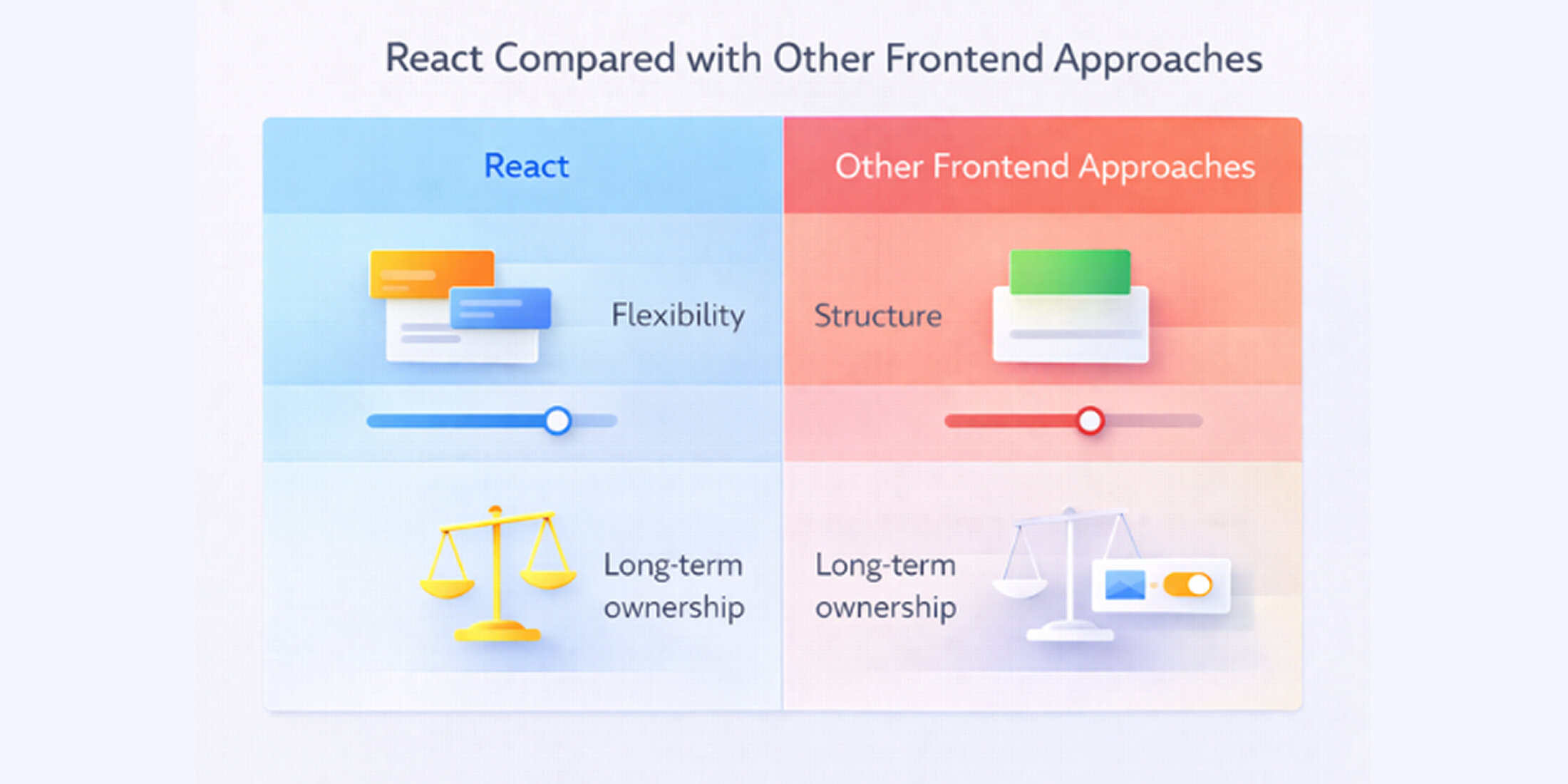
Teams evaluating React are usually comparing it against a small set of established frontend options, each with different trade-offs around structure, flexibility, and long-term ownership. This comparison focuses on how those differences play out in real projects rather than theoretical capability.
React vs Angular
Angular is a full framework with strong conventions and built-in solutions for routing, form handling, and application structure. This can reduce early decision-making but often increases rigidity as products evolve.
React focuses narrowly on the UI layer and leaves architectural choices to the team. This gives teams more flexibility to adapt their frontend stack as requirements change, but it also means clearer upfront decisions are needed around supporting tools. In practice, Angular often suits teams that want enforced structure from day one, while React fits teams that expect product requirements and UI complexity to shift over time.
React vs Vue
Vue is commonly chosen for its approachability and balanced design. It offers clear conventions while remaining flexible, which can make it attractive for smaller teams or projects with moderate complexity.
React trades some of that initial simplicity for broader ecosystem depth and long-term flexibility. In comparisons between React and Vue, this difference becomes more pronounced for teams building larger applications or supporting interfaces over multiple years, where React’s widespread adoption and established patterns make it easier to scale development workflows and hire experienced contributors.
React vs Newer Lightweight Frameworks
Newer frameworks such as Svelte or Solid aim to reduce boilerplate and simplify UI development by handling more work at build time. These tools can be effective for specific use cases, particularly where simplicity and fast setup are priorities.
However, they typically have smaller ecosystems and fewer established patterns for large, long-lived applications. Teams choosing React often do so because they value ecosystem maturity and predictable long-term support over early development convenience.
When lighter alternatives may be sufficient
React is not always the right choice. For projects with limited interactivity or stable interfaces, simpler approaches can reduce complexity without sacrificing outcomes.
Lighter alternatives are often sufficient when:
Pages require minimal client-side interaction
UI complexity is unlikely to increase significantly
The team prefers minimal tooling and build configuration
In these cases, server-rendered templates, basic JavaScript, or smaller UI libraries can meet requirements with less overhead. Choosing React in these scenarios may add unnecessary complexity without providing meaningful long-term benefit.
Situations where React may not be the best choice
React is a strong option for many frontend projects, but it is not universally appropriate. Understanding where React may introduce unnecessary complexity helps teams avoid poor-fit decisions and choose tools that align with actual product needs rather than perceived best practices.
Small or mostly static websites
For websites with limited interactivity and infrequent updates, React can add more structure than the project requires. Static pages, marketing sites, or documentation-focused websites often perform better with simpler approaches that emphasize fast delivery and low maintenance.
In these cases, the overhead of managing components, build tooling, and client-side state may outweigh the benefits React provides. A template-based or server-rendered approach can meet requirements with less complexity.
Teams with limited JavaScript experience
React assumes a solid understanding of modern JavaScript concepts and frontend development patterns. Teams without this foundation may face a steeper learning curve, which can slow development and introduce avoidable issues.
When JavaScript experience is limited, simpler tools or frameworks with stronger conventions may reduce friction. In these situations, adopting React too early can shift focus away from product goals toward solving tooling and implementation challenges.
Projects with minimal interface complexity
Not all applications require advanced UI state management or dynamic rendering. Projects with straightforward user flows and stable interfaces often benefit from lighter solutions.
If the interface:
Changes infrequently
Has limited conditional logic
Does not rely on shared or complex state
React’s structure may provide little advantage. Choosing a simpler approach in these scenarios can result in clearer code and easier long-term maintenance without sacrificing functionality.
Applications with strict performance or delivery constraints
Some projects prioritize minimal client-side JavaScript due to performance budgets, delivery timelines, or environmental constraints. In these cases, adding a full client-side UI layer can introduce unnecessary complexity.
When pages must load quickly with minimal scripting, or when the interface is largely driven by server-rendered content, React may offer limited practical benefit compared to simpler rendering approaches.
Practical considerations before adopting React
Adopting React successfully depends less on choosing the library itself and more on how prepared a team is to work with it. Many React-related issues stem from gaps in skills, unclear expectations, or rushed setup decisions rather than from the tool itself. Addressing these considerations early helps teams avoid friction during development.
Skills and prerequisites
React assumes familiarity with modern JavaScript and frontend development practices. Teams should be comfortable working with concepts such as component composition, state handling, and modular code organization.
Before adopting React, teams typically need:
A solid understanding of JavaScript fundamentals and modern syntax
Familiarity with browser behavior, CSS, and layout principles
Experience structuring frontend code for maintainability
Without this foundation, React can feel opaque and difficult to reason about, slowing development rather than improving it.
Learning curve considerations
React’s learning curve is manageable but uneven. While basic components are easy to grasp, building maintainable applications requires understanding broader patterns around state, data flow, and application structure.
Teams often underestimate the time needed to:
Establish shared conventions
Learn ecosystem tools that complement React
Align on patterns for managing growing complexity
Planning for this ramp-up period helps avoid frustration and inconsistent implementations across the codebase.
Common early missteps
Many adoption issues surface in the early stages of a React project. These missteps are rarely technical failures and more often process-related.
Common pitfalls include:
Introducing unnecessary complexity before it is needed
Lacking clear ownership of frontend architecture decisions
Mixing patterns inconsistently across the codebase
Addressing these issues early makes it easier to maintain clarity as the application evolves and helps teams realize React’s benefits over the long term.
Key takeaways for teams evaluating React
Evaluating React ultimately comes down to fit rather than popularity. The sections above outline where React delivers clear value and where it can introduce unnecessary complexity. Bringing those points together helps teams make a grounded decision based on product needs, team readiness, and long-term maintenance goals.
When React Is a strong fit
React tends to work best for products where the user interface is expected to change and grow over time. Teams usually see the most value when interfaces involve shared state, frequent updates, and multiple contributors working on the same frontend codebase.
In these situations, React’s structure supports consistency, controlled change, and clearer ownership as complexity increases.
When to evaluate alternatives
React is less compelling when interfaces are simple, stable, or unlikely to evolve significantly. In these cases, lighter approaches can meet requirements with less setup and ongoing overhead.
Teams should consider alternatives when:
The interface has minimal interactivity
UI logic is unlikely to grow in complexity
Delivery speed and simplicity are higher priorities than long-term flexibility
Choosing a simpler tool in these scenarios often leads to clearer code and easier maintenance.
What to assess before committing
Before adopting React, teams should evaluate more than technical capability. React works best when the surrounding conditions support it.
Key considerations include:
The team’s familiarity with modern JavaScript and frontend patterns
Willingness to define and maintain shared conventions
Expectations around product lifespan and interface evolution
Assessing these factors upfront helps ensure React supports delivery rather than becoming an additional source of friction.
Final considerations before choosing React
Choosing React is less about keeping up with industry trends and more about anticipating how an interface will change over time. For teams building products with increasing interaction, shared state, and long-term frontend ownership, React, when supported by experienced React development solutions, provides a structured way to manage complexity without forcing rigid decisions early.
At the same time, React is not a default choice for every web project. Simpler interfaces, smaller teams, or short-lived products often benefit from lighter approaches that favor speed and minimal setup. The real distinction lies in whether UI complexity is likely to grow and whether the team is prepared to manage that growth intentionally.
Viewed through this lens, React becomes a clearer, lower-risk decision. When adopted for the right reasons and with realistic expectations, it supports interfaces that remain maintainable as products and teams evolve.
Frequently Asked Questions (FAQs)

 WhatsApp
 Call Us
 Mail Us