


How to Use Promise-based Error Handling in Express.js



Express.js applications crash. Routes fail. Database queries time out. These aren't hypothetical scenarios; they're everyday realities that can bring your Node.js server to its knees if you don't handle errors properly.
The shift from callback-based patterns to Promises and async/await has transformed how we write JavaScript, but many developers still struggle with error handling in Express.js. You may encounter unhandled Promise rejections, try-catch blocks scattered throughout your application, or silent failures that leave users waiting for a response.
A structured error-handling approach helps you catch asynchronous failures, return meaningful HTTP responses, and maintain application stability. Building reliable APIs also requires a well-organized backend architecture. Learn more about REST API development in Node.js to understand how APIs handle requests, responses, and backend operations.
This guide explains how to implement promise-based error handling in Express.js, covering async/await, Promise chains, reusable error-handling functions, centralized middleware, and production-ready practices.
What Is Promise-Based Error Handling in Express.js?
Promise-based error handling is a technique for managing errors that occur during asynchronous operations in an Express.js application.
JavaScript Promises represent the eventual completion or failure of an asynchronous operation. When an operation fails, its Promise is rejected. You can handle that rejection using .catch(), a try...catch block with async/await, or Express error-handling middleware.
For example, consider an API endpoint that retrieves user information from a database. The database query may fail because of a connection issue, an invalid query, or a missing record.
Without proper error handling, the application may fail to return an appropriate response. Promise-based error handling allows you to capture the failure and pass it to a centralized error handler.
Common situations that require asynchronous error handling include:
Database connection failures and query errors.
Failed API requests to third-party services.
Authentication and authorization failures.
File upload and processing errors.
Invalid or missing application resources.
Network timeouts and service interruption
Why Is Error Handling Important in Express.js?
Error handling is an essential part of building reliable backend applications. A well-structured approach helps developers identify failures, protect sensitive information, and provide consistent responses to API consumers.
Here are some important benefits:
1. Prevents Unhandled Promise Rejections
Asynchronous operations can fail at any point. Handling rejected promises ensures that errors are passed to the appropriate error-handling mechanism instead of remaining unhandled.
2. Improves API Reliability
A consistent error response helps frontend applications understand what went wrong and respond appropriately.
3. Simplifies Application Maintenance
Centralized error handling reduces repetitive error-handling logic across multiple route handlers, making applications easier to maintain.
4. Improves Debugging and Monitoring
Logging errors with relevant request information helps developers investigate application failures and identify recurring problems.
5. Protects Sensitive Information
Production applications should not expose internal stack traces, database details, credentials, or other sensitive information in API responses.
How Does Promise-Based Error Handling Work in Express.js?
Express.js uses middleware to process incoming requests and outgoing responses. Error-handling middleware provides a dedicated mechanism for processing errors passed through the application.
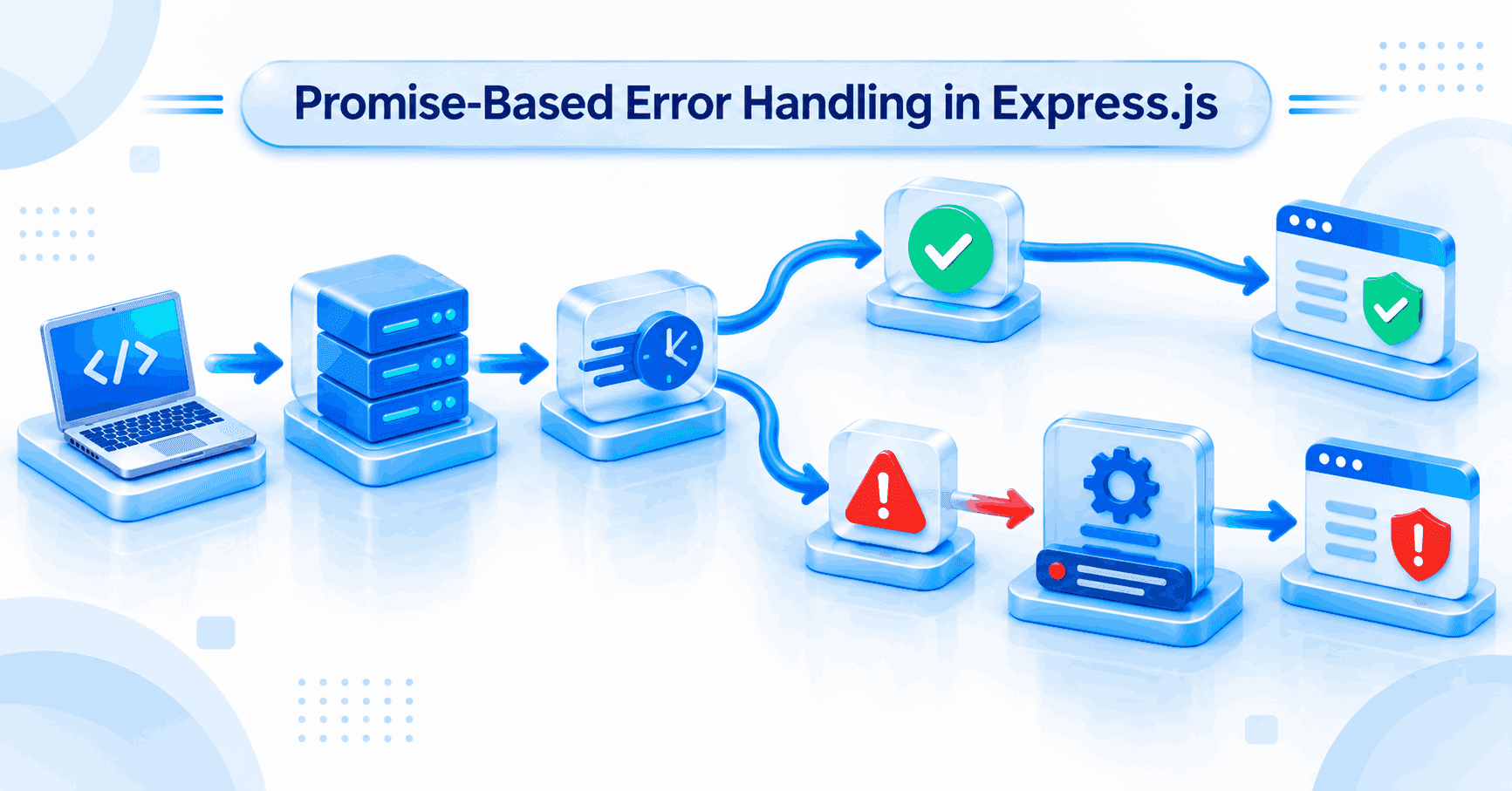
A typical promise-based error-handling flow looks like this:
A client sends an HTTP request to an Express.js route.
The route handler performs an asynchronous operation.
The operation either completes successfully or returns a rejected Promise.
The error is passed to Express using next(error) or automatically forwarded by Express 5.
Centralized error-handling middleware processes the error.
The server returns an appropriate HTTP status code and response.
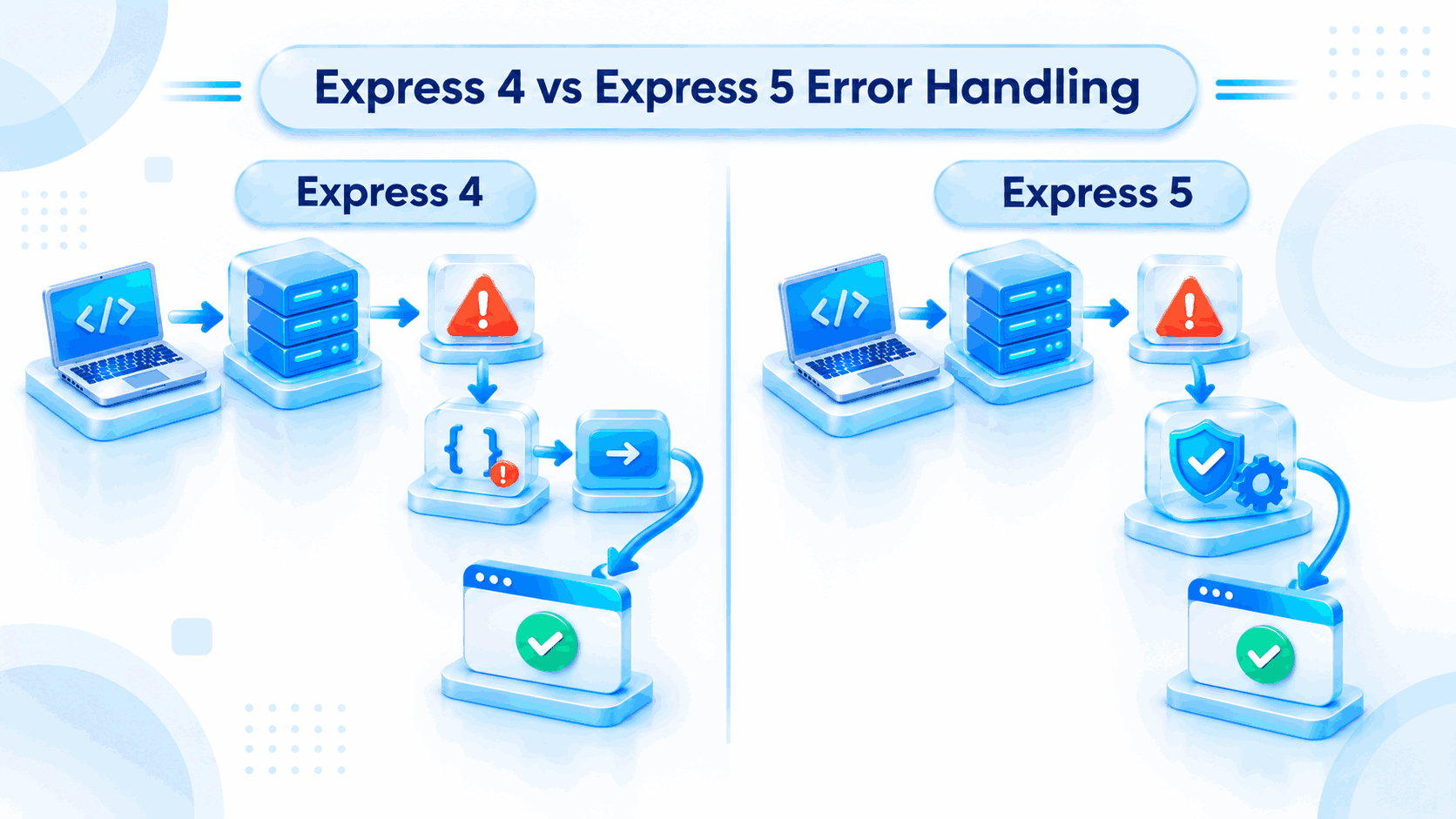
Understanding your Express.js version is important because Express 4 and Express 5 handle rejected Promises differently.
How to Handle Errors Using Async/Await in Express.js
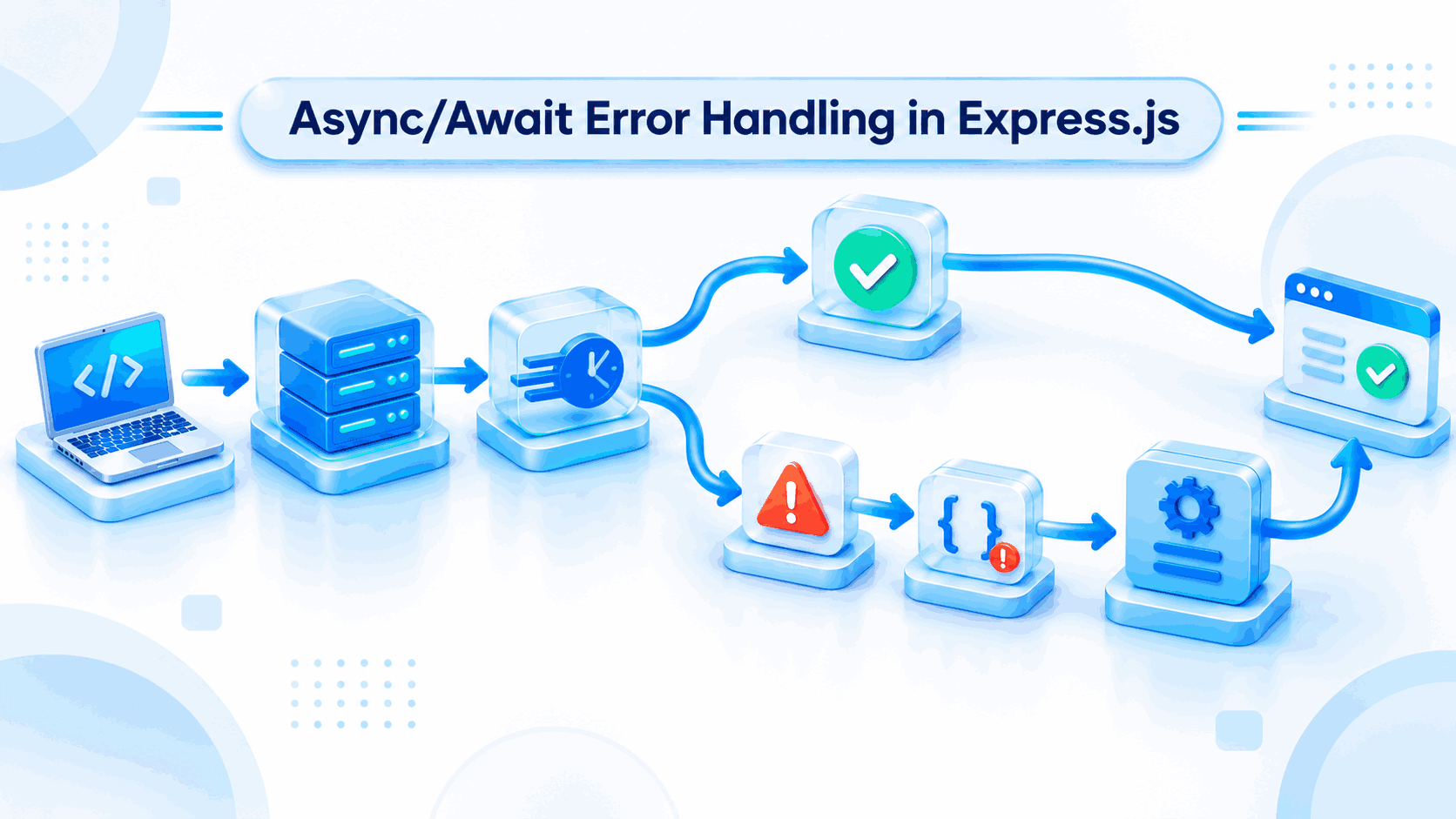
The async/await syntax makes asynchronous JavaScript easier to read and maintain. However, the way errors are forwarded to Express depends on the framework version.
Error Handling in Express 4
In Express 4, rejected Promises from async route handlers are not automatically forwarded to error-handling middleware.
You need to catch errors manually and pass them to the next() function.
Example:
const express = require('express');
const app = express();

app.get('/users/:id', async (req, res, next) => {
    try {
        const user = await getUserById(req.params.id);

        if (!user) {
            return res.status(404).json({
                message: 'User not found'
				 });
        }

        res.status(200).json(user);
    } catch (error) {
        next(error);
    }
});
In this example:
getUserById() performs an asynchronous database operation.
The await keyword waits for the operation to complete.
The try block handles successful execution.
The catch block captures rejected Promises and forwards the error using next(error).
Express then passes the error to the registered error-handling middleware.
Error Handling in Express 5
Express 5 simplifies asynchronous error handling. Route handlers and middleware that return rejected Promises automatically forward errors to the error-handling middleware.
This means you do not need to add a try...catch block around every asynchronous route handler just to call next(error).
Example:
const express = require('express');
const app = express();

app.get('/users/:id', async (req, res) => {
    const user = await getUserById(req.params.id);

    if (!user) {
        const error = new Error('User not found');
        error.status = 404;
        throw error;
    }

    res.status(200).json(user);
});
If getUserById() rejects or the route handler throws an error, Express 5 automatically forwards the error to the error-handling middleware.
Important: This automatic forwarding applies to rejected Promises returned by route handlers and middleware. Detached asynchronous operations that are not returned or awaited still require explicit error handling.
How to Handle Promise Rejections Using .catch()
You can also handle asynchronous errors using Promise chains instead of async/await.
The .catch() method captures errors from rejected Promises and provides a way to pass them to Express.
Example:
app.get('/users/:id', (req, res, next) => {
    getUserById(req.params.id)
        .then(user => {
            if (!user) {
                const error = new Error('User not found');
                error.status = 404;
                throw error;
            }

            res.status(200).json(user);
        })
        .catch(next);
});
Here, .catch(next) forwards any rejection or thrown error to Express error-handling middleware.
This pattern is particularly useful when working with existing Promise-based functions or applications that use Promise chains.
Note: Always return the Promise from the route handler when relying on Express 5's automatic rejection handling. If you do not return it, Express may not know that the asynchronous operation exists.
How to Create Centralized Error-Handling Middleware in Express.js

Writing separate error-handling logic for every route can make an application difficult to maintain.
A better approach is to create centralized error-handling middleware that receives errors from different parts of your application and processes them consistently.
Express error-handling middleware uses four parameters:
(err, req, res, next)Example:
const errorHandler = (err, req, res, next) => {
    const statusCode = err.statusCode || err.status || 500;

    console.error(err);

    const isOperational = err.isOperational === true;

    res.status(statusCode).json({
        success: false,
        message: statusCode >= 500 && !isOperational
            ? 'Internal Server Error'
            : err.message
    });
};

app.use(errorHandler);
The middleware performs the following tasks:
Receives errors passed from route handlers.
Determines the appropriate HTTP status code.
Logs the error for debugging.
Returns a structured JSON response to the client.
Register this middleware after your routes and other application middleware.
Centralised middleware is also an important part of building maintainable Node.js applications. Explore MEAN stack development to learn how technologies such as MongoDB, Express.js, Angular, and Node.js work together to support full-stack application development.
How to Create a Custom Error Class in Express.js
A custom error class helps standardize how application errors are created and processed.
Instead of manually assigning status codes and messages throughout your routes, you can define a reusable error class.
Example:
class AppError extends Error {
    constructor(message, statusCode) {
        super(message);

        this.statusCode = statusCode;
        this.status = statusCode >= 500
            ? 'error'
            : 'fail';

        this.isOperational = true;

        Error.captureStackTrace(this, this.constructor);
    }
}

module.exports = AppError;
You can use this class whenever an application encounters a known operational error.
Example usage:
const AppError = require('./AppError');

app.get('/users/:id', async (req, res) => {
    const user = await getUserById(req.params.id);

    if (!user) {
        throw new AppError('User not found', 404);
    }

    res.status(200).json({
        success: true,
        data: user
    });
});
In Express 5, the thrown error is automatically forwarded to the centralized error handler. In Express 4, wrap the route with an async handler or use try...catch and next(error).
Custom error classes make error management more consistent and help distinguish expected application errors from unexpected server failures.
How to Build a Reusable Async Error Handler
If you are using Express 4, writing try...catch blocks in every asynchronous route can introduce unnecessary repetition.
You can create a reusable async wrapper to handle rejected Promises.
Example:
const asyncHandler = (fn) => {
    return (req, res, next) => {
        Promise.resolve(fn(req, res, next))
            .catch(next);
    };
};

module.exports = asyncHandler;
Now, you can use this wrapper in multiple routes.
Example usage:
const asyncHandler = require('./asyncHandler');

app.get('/users/:id', asyncHandler(async (req, res) => {
    const user = await getUserById(req.params.id);

    if (!user) {
        throw new AppError('User not found', 404);
    }

    res.status(200).json({
        success: true,
        data: user
    });
}));
The wrapper converts the returned value into a Promise and forwards rejected Promises to Express through next(error).
This approach reduces repetitive error-handling code and keeps route handlers focused on application logic.
For Express 5, this wrapper is generally unnecessary for route handlers that return Promises.
Best Practices for Promise-Based Error Handling in Express.js

A structured error-handling strategy improves application reliability, maintainability, and debugging.
Consider the following practices when developing Express.js applications.
1. Use Centralized Error-Handling Middleware
Keep error-processing logic in one place rather than repeating response-handling code across multiple routes.
2. Use Appropriate HTTP Status Codes
Return meaningful status codes based on the type of error.
3. Avoid Exposing Sensitive Error Details
Do not return database queries, stack traces, file paths, environment variables, or internal server information to clients.
Use detailed server-side logs for debugging and return safe, understandable messages in API responses.
4. Log Errors Consistently
Use structured logging to capture relevant details such as:
Error message and stack trace.
Request method and endpoint.
HTTP status code.
Request or correlation ID.
Timestamp and application environment.
Avoid logging passwords, authentication tokens, or sensitive personal information.
5. Handle Errors According to Your Express Version
Use manual Promise rejection handling or a reusable async wrapper in Express 4. Express 5 automatically forwards rejected Promises returned by route handlers and middleware.
6. Handle Errors After Response Headers Are Sent
If a response has already started, a custom error handler should delegate to Express's default error handler
function errorHandler(err, req, res, next) {
    if (res.headersSent) {
        return next(err);
    }

    res.status(err.statusCode || 500).json({
        success: false,
        message: err.isOperational
            ? err.message
            : 'Internal Server Error'
    });
}
This prevents the application from attempting to send a second response for the same request.
7. Test Error Scenarios
Test both successful and unsuccessful execution paths. Include database failures, rejected API requests, missing resources, validation errors, and unexpected exceptions.
Automated testing helps ensure that errors are forwarded correctly and API responses remain consistent.
Common Mistakes to Avoid in Express.js Error Handling
Even experienced developers can introduce problems when handling asynchronous errors.
Here are some common mistakes to avoid:
Avoiding these mistakes makes your Express.js application easier to debug and more predictable under failure conditions.
Frequently Asked Questions About Promise-Based Error Handling in Express.js
What is promise-based error handling in Express.js?

How do you handle async errors in Express.js?
What is the difference between Express 4 and Express 5 error handling?
What does next(error) do in Express.js?
How do you create centralized error-handling middleware in Express.js?
Why should developers use a custom error class in Express.js?
What is the purpose of an async error handler in Express.js?
How can you prevent unhandled Promise rejections in Express.js?
Which HTTP status codes should be used for API errors in Express.js?
Is try-catch required for async functions in Express 5?
Conclusion
Promise-based error handling is an important part of building reliable Express.js applications. By combining Promises, async/await, custom error classes, and centralized error-handling middleware, developers can manage asynchronous failures more effectively.
Express 5 makes this process simpler by automatically forwarding rejected Promises returned by route handlers and middleware. Express 4 applications can achieve a similar structure through try...catch, .catch(next), or reusable async wrappers.
The right approach depends on your Express.js version and application architecture. Implementing consistent error-handling practices helps improve API reliability, simplify debugging, and create a more maintainable backend.
Businesses looking to build reliable server-side applications can explore Code-B's software development solutions for scalable and maintainable software solutions.
Looking to build or improve your Node.js backend application?
Contact our team to discuss your project and explore solutions tailored to your business requirements.
 WhatsApp
 Call Us
 Mail Us