


Mastering C Programming: A Simple Guide to Features, Pros, and Use Cases



Introduction to C Programming
C is one of the oldest programming languages, created in the 1970s by Dennis Ritchie. Even though it’s been around for a long time, C is still widely used today. It’s powerful, fast, and gives developers direct control over how programs interact with the computer. In this blog, we’ll take a simple look at the main features of C, how it compares to other languages, and why and when you should use it.
Key Features of C Programming
1. Direct Memory Access
C lets you access and control the computer's memory using pointers. This means you can manage data in the most efficient way possible.
Example:
int x = 10;
int *p = &x; // Pointer to variable x
printf("%d", *p);  // Output: 10
2. Portability
Programs written in C can run on different types of computers with little or no changes. This makes C highly portable, meaning a program written for one computer can easily be used on another.
3. High Performance
Since C is a compiled language, it turns your code directly into machine language, making it fast and efficient. This is why C is great for creating programs that need to run quickly, like video games or real-time applications.
4. Procedural Programming
C focuses on functions that perform specific tasks, making the code organized and easy to follow.
Example:
void greet() {
    printf("Hello, World!\n");
}

int main() {
    greet();
    return 0;
}
5. Built-In Functions
C provides a collection of useful built-in functions, such as functions for performing mathematical operations or handling input and output.
For example, you can use the sqrt() function from the math.h library to find the square root of a number:
#include <math.h>
double result = sqrt(25);  // Output: 5
6. Manual Memory Management
C gives you full control over how memory is used in your program. This means you need to allocate and free memory manually, which can be powerful but also tricky if not done carefully.
Example:
int *ptr = malloc(sizeof(int));  // Allocate memory
*ptr = 10;
free(ptr);  // Free memory
7. Using Pointers
C allows you to perform calculations on pointers, which hold memory addresses. This gives you even more control over your program’s memory.
Example:
int arr[] = {1, 2, 3};
int *p = arr;
printf("%d", *(p + 2));  // Output: 3
8. Stack Memory
C uses stack memory to store data temporarily. This memory is automatically managed, meaning you don’t have to worry about it once a function finishes running.
9. Simple and Lightweight
C is designed to be simple, without many extra features. This makes it easy to learn and use for creating efficient software, especially when speed is important.
10. Close to Hardware
C allows you to write programs that interact directly with the hardware of the computer. This makes it ideal for tasks like writing operating systems or controlling devices.
Basic Requirements to Write a C Program
Before diving into writing a C program, you need to know some basic requirements:
- C Compiler: To compile and run a C program, you’ll need a C compiler. Some common ones are GCC (GNU Compiler Collection) and Clang.
- Text Editor: A text editor is where you'll write your C program. You can use simple editors like Notepad (Windows) or more advanced ones like Visual Studio Code, Sublime Text, or Code::Blocks.
- Basic Syntax: You’ll need to understand basic syntax rules in C, such as how to declare variables, write functions, and use libraries.
Here’s a very simple structure of a C program:
#include <stdio.h>  // Preprocessor directive to include standard input-output library

int main() {  // Main function - starting point of every C program
    printf("Hello, World!");  // Print statement
    return 0;  // Return statement indicating successful execution
}
In this example:
- <stdio.h> includes the standard input-output library that allows you to use functions like printf.
- int main() is the entry point of every C program.
- printf() is used to print output to the screen.
- return 0; indicates the program ran successfully.
Once you’ve written your program, you can compile and run it using your C compiler. For example, if you're using GCC, you can run the following command in the terminal:
gcc my_program.c -o my_program
./my_program
This will compile the program and produce an executable called my_program, which you can run.
Installation of C Compiler
To start writing C programs, you'll need a C compiler. For detailed installation instructions, please refer to the official documentation for your operating system:
For Windows: Visit the MinGW website.
For macOS: Visit the Apple Developer site.
For Linux: Visit the documentation specific to your distribution, like Ubuntu's GCC installation guide.
For more detailed installation instructions and setup, please follow this documentation.
How C is Different from Other Languages
C vs. Python:
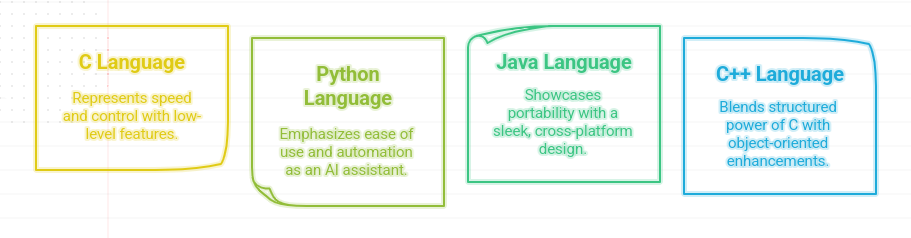
C is faster than Python because it is compiled directly to machine code, while Python is an interpreted language. In Python, you don’t need to worry about memory management, but in C, you have to manage memory manually.
C vs. Java:
Java is a high-level language, meaning it focuses more on ease of use and portability. C, on the other hand, gives you more control over your program’s performance and how it uses system resources.
C vs. C++:
While C is simple and focused on procedural programming, C++ builds on C by adding features like object-oriented programming (OOP), which helps organize larger programs using classes and objects.
When Should You Use C?
C is great for situations where speed and control are most important. Here are some common areas where C is still the best choice:
Operating Systems: Many operating systems, like Linux, are built using C because of its speed and low-level control.
Embedded Systems: C is used in small devices like IoT gadgets and microcontrollers, where resources are limited and performance is critical.
Game Development: C is used in game engines and other high-performance applications where speed is essential.
Networking: C is often used in network programming, where direct access to system resources and performance are crucial.
Pros and Cons of C Programming
Pros
Fast and Efficient: C programs are compiled into machine code, which makes them run faster.
Complete Control: You can manage memory and resources directly, giving you full control over your program.
Portable: C programs can be moved between different systems with little or no changes.
Simple and Straightforward: C doesn’t add many extra features, which makes it simple to learn and use.
Cons
Manual Memory Management: You have to manage memory yourself, which can lead to mistakes like memory leaks.
No Built-In Object-Oriented Features: C doesn’t support object-oriented programming like C++ or Java, which can make large projects harder to manage.
Not Ideal for Large Applications: While C is great for system-level programming, for building large applications with complex features, languages like Python or Java might be easier.
Frequently Asked Questions (FAQ) about C Programming

Conclusion
C is a powerful and efficient programming language that gives developers full control over memory and system resources. While it may be challenging for beginners, it’s still widely used for applications that require speed, such as operating systems, games, and embedded systems.
If you’re working on low-level programming, real-time systems, or other performance-critical applications, C remains a top choice. It may not be the best language for building large, complex software systems, but for many tasks, C is still the best tool for the job.
 WhatsApp
 Call Us
 Mail Us