


Detailed Guide to build a Transportation management software



Why Enterprises Need Transportation Management Software
Transportation management software (TMS) plays a critical role in B2B operations, helping companies coordinate the movement of goods, lower costs, and maintain visibility across the shipping process. Whether you’re a logistics manager or a software architect exploring TMS for enterprise adoption, your goal is to streamline dispatching, route planning, freight tracking, and billing. This guide unpacks what a solid TMS should include, the integrations that matter, how automation improves operations, useful tech stacks to rely on, and how to develop a system aligned with enterprise needs.
Purpose of TMS in B2B Operations
- Coordinating inbound and outbound shipments to reduce delays
- Offering visibility into carrier performance and freight tracking
- Handling complex pricing, billing, and freight auditing
- Providing data for better decision-making in routing and capacity planning
Picture a large retailer shipping goods to multiple warehouses. A TMS routes loads efficiently, selects carriers based on cost and performance, and then sends tracking information to stakeholders. It ensures accurate billing and provides analytics on shipment performance, reducing wasted time and fuel.
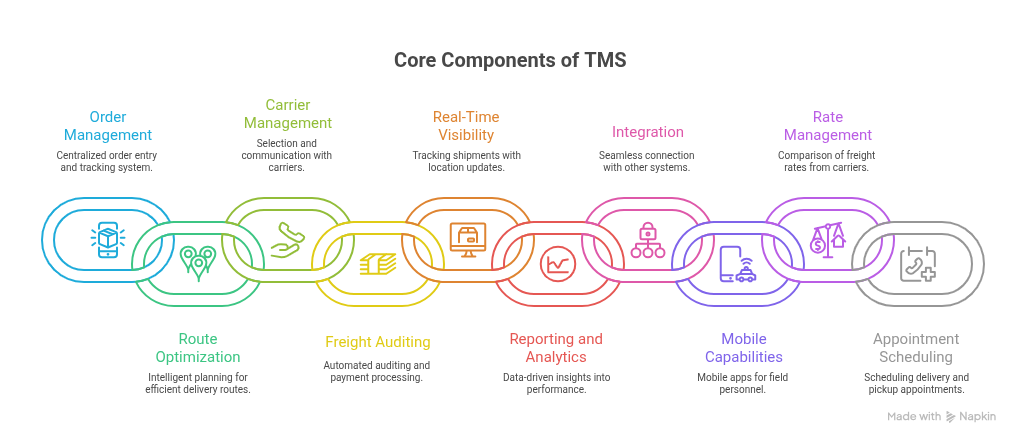
Core Components of a TMS, Tailored for Your Needs
Your TMS should include features that reflect your enterprise’s workflows and pain points:
Order Management: Centralised order entry, tracking, and management.
Route Optimisation: Intelligent route planning based on factors like distance, traffic, and delivery constraints.
Carrier Management: Selection, negotiation, and communication with carriers.
Freight Auditing and Payment: Automated auditing of freight bills and payment processing.
Real-Time Visibility: Tracking shipments in real-time with updates on location and estimated time of arrival (ETA).
Reporting and Analytics: Data-driven insights into transportation performance.
Integration: Seamless integration with other systems like ERP, WMS, and CRM.
Mobile Capabilities: Mobile apps for drivers and field personnel.
Rate Management: Managing and comparing freight rates from different carriers.
Appointment Scheduling: Scheduling delivery and pickup appointments.
Integrations That Make TMS Work for Your Workflow
To be fully effective, a TMS must connect with the systems your enterprise already uses:
- ERP and Order Management Systems (OMS) Sync orders and inventory levels directly with SAP, Oracle, Microsoft Dynamics, or similar.
- Warehouse Management Systems (WMS) Align order processing and outbound loading with warehouse capacities and outbound workflows.
Carrier APIs Automatically receive and compare carrier pricing, book shipments, and transmit tracking data.
- Telematics and GPS Tools Feed vehicle location and status updates directly into your tracking dashboard.
- Accounting Platforms Link invoicing details with QuickBooks, Xero, or enterprise accounting solutions for smoother billing.
- E-commerce Platforms For distributors or manufacturers, connect Shopify, Magento, or others to streamline order processing.
Why Automation Matters in TMS
Automation isn’t about replacing human effort; it’s about removing repetitive tasks and ensuring reliability. Here’s how it makes a difference:
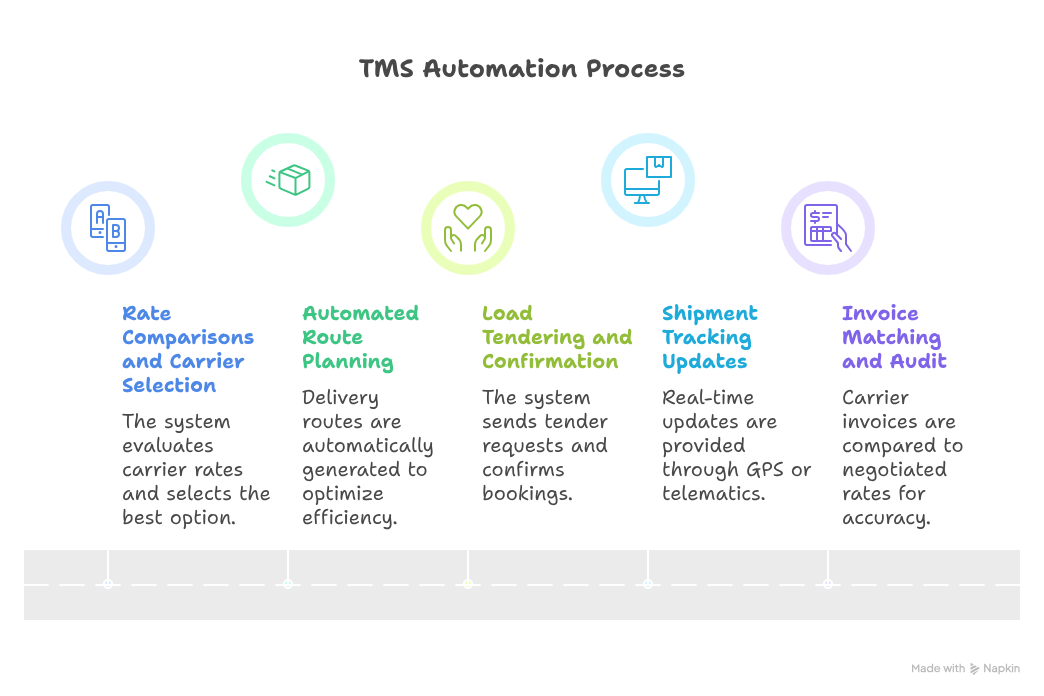
How Automation Works
- Rate Comparisons and Carrier Selection The system pulls rates from carriers, evaluates them, and selects the best option based on criteria (e.g., cost, service level, reliability).
- Automated Route Planning Delivery routes are generated automatically to meet time windows and optimize load capacity.
- Load Tendering and Confirmation Once a carrier is selected, the system sends a tender request and handles confirmation and booking automatically.
- Shipment Tracking Updates GPS or telematics alerts update shipment dashboards and notify stakeholders when status changes occur.
- Invoice Matching and Audit The system compares carrier invoices to negotiated rates and flags mismatches for review.
Benefits
- Faster Execution Manual steps are removed, reducing time spent on routine tasks.
- Fewer Errors Reduces manual entry mistakes, especially in rate handling and invoicing.
- Cost Awareness Automated comparisons ensure you consistently pick the most cost-effective option.
- Better Service Alerts help you stay ahead of delays or issues, improving customer communication.
- Consistent Data Builds a dataset rich enough for future trend analysis and performance improvements.
Choosing the Right Technology Stack for Your TMS
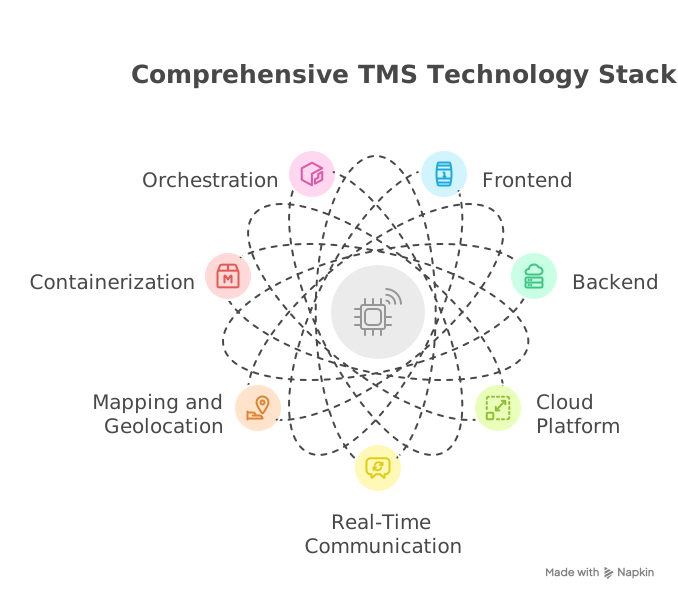
The stack you choose should align with your engineering culture, expected scale, and preferred architectural style:
Backend Frameworks
- Node.js with Express or NestJS offers fast development and strong JavaScript ecosystem support
- Python with Django or Flask gives quick iterations and access to scientific libraries for route optimization.
- Java with Spring Boot brings structure and mature enterprise tooling. -.NET Core provides strong integration with Microsoft-based enterprise stacks.
Frontend
- React powers complex dashboards and modular interfaces.
- Angular delivers a more opinionated framework, helpful for structured growth.
- Vue offers simplicity and smooth performance for small to medium-scale applications.
Databases
- PostgreSQL for complex relational data like shipments, rates, routes, and audit logs.
- NoSQL databases such as MongoDB or DynamoDB for telemetry logs and high-write streaming data.
Message Queues
- Use RabbitMQ or Apache Kafka to handle asynchronous tasks like shipment updates or rate fetch calls.
Deployment and Hosting
- Docker for containerization, making deployment portable across environments.
- Kubernetes for orchestrating containers when operating at scale.
- Cloud providers (AWS, Azure, GCP) offer managed services (e.g., AWS Fargate, Azure Functions, Google App Engine) to simplify operations.
APIs and Integrations
- RESTful APIs are straightforward to build and widely supported.
- GraphQL can give your front-end flexibility in what data it fetches.
Analytics and Visualisation
- Use tools like Grafana, Superset, or integrate with BI platforms for dashboards and insights.
Here, consider your team’s strengths and infrastructure decisions. A tightly orchestrated microservices architecture might work if your enterprise demands modularity and scale. If you’re just starting, a monolith with room to expand may reduce overhead.
Action Path: From Concept to Launch
Define Requirements
- Interview logistics managers and operations teams. Identify bottlenecks, current manual tasks, and metrics
Map Your Workflow
- Sketch your order-to-delivery flow. Highlight software, manual steps, decision points, and external systems.
Prioritize Features
- Begin with core functionality: order capture, basic carrier selection, shipment creation, and tracking.
Set Up Integrations
- Find a subset of systems to integrate first—ERP, one carrier API, GPS feed, or an accounting tool. Keep scope manageable.
Automate Key Processes
- Implement rate comparison, route recommendation, and notification workflows step-by-step.
Build and Iterate
- Deliver in increments. Ship a minimal viable version before adding dashboards, analytics, and sprucing UI/UX.
Measure Impact
- Collect metrics: time saved, error reduction, cost avoidance, response times, and user feedback.
Expand Gradually
- Add multi-carrier support, route optimisation based on historical data, load packing, billing workflows, and advanced analytics.
Conclusion: What Matters Most
- Tie each feature to a real business outcome: saving time, reducing cost, improving visibility, or reducing errors.
- Make integrations functional, dependable, and able to grow with your operations.
- Lean on automation where manual work repeats and provides little added value.
- Design your architecture based on your team’s skills, your deployment environment, and future flexibility.
FAQs

 WhatsApp
 Call Us
 Mail Us