


What Is Model Context Protocol (MCP)? A Complete Guide
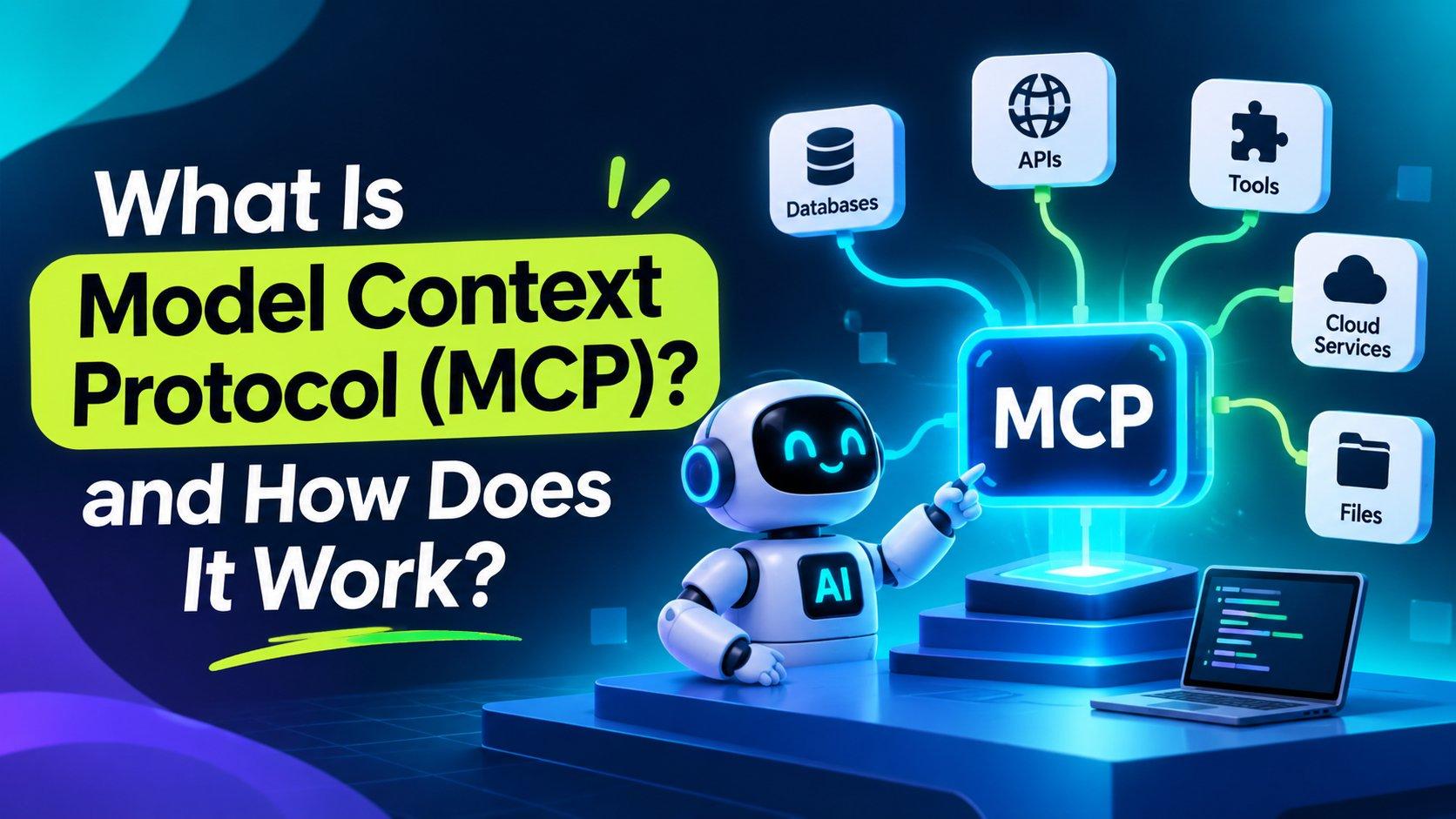



Artificial intelligence applications are becoming more capable, but they often need access to information and tools outside their own environment. An AI assistant may need to search company documents, check a customer record, query a database, create a support ticket or send an email. Connecting every AI application to every external system through a separate custom integration can quickly become difficult to maintain.
The Model Context Protocol (MCP) addresses this challenge with a shared standard for connecting AI applications to external tools, data sources and prompt templates. Instead of building a different connector for every application and service combination, developers can implement MCP once on each side and reuse compatible connections.
This guide explains what MCP is, why it matters, how its architecture works, how it compares with APIs and other approaches, and how developers can start building with it. It also covers the key changes introduced in the 2026-07-28 specification.
What Is the Model Context Protocol?
The Model Context Protocol is an open standard that defines how AI applications communicate with external systems. It provides a common way for an AI application to discover available capabilities, request information and invoke tools.
MCP is designed to be model- and vendor-independent. An application that implements the MCP client side can connect to any compatible MCP server, regardless of which AI model powers the application or which underlying service the server connects to.
MCP is often compared to USB-C. USB-C provides a common connection standard for many devices; similarly, MCP provides a common integration standard for AI applications and external systems. The comparison is an analogy, but it captures the central idea: one consistent interface can replace many one-off connections.
Anthropic introduced MCP in November 2024. In December 2025, the project became part of the Agentic AI Foundation under the Linux Foundation, supporting vendor-neutral, open governance. The specification is versioned and maintained publicly.
Why Was MCP Created?
Before a shared protocol was available, developers commonly built custom integrations between each AI application and each external service. A connection to a CRM might require one implementation, while access to a database, document platform or messaging service required another. Repeating that work across multiple AI applications increased development and maintenance effort.
This is often described as the N × M integration problem. If an organization has N AI applications and M external tools, it may need up to N × M separate integrations. With a shared protocol, each application and each tool can implement MCP once, reducing the integration work toward N + M.
MCP also provides a standardized way to connect models with live information. This can help an AI application ground its responses in current business data rather than relying only on information learned during model training. It does not guarantee that a response is correct; the quality and permissions of the connected sources still matter.
How Does MCP Work?
MCP follows a client-server architecture with three main roles: the host, the client and the server. Each role has a distinct responsibility.
A host can connect to multiple servers. Each client communicates with its corresponding server, keeping the connections logically separated. The host coordinates the interaction and provides the model with the results.
This separation makes the architecture flexible. The host does not need to know the internal implementation of every connected service, and an MCP server does not need to know which AI model is using it.
The Three Main Building Blocks of MCP
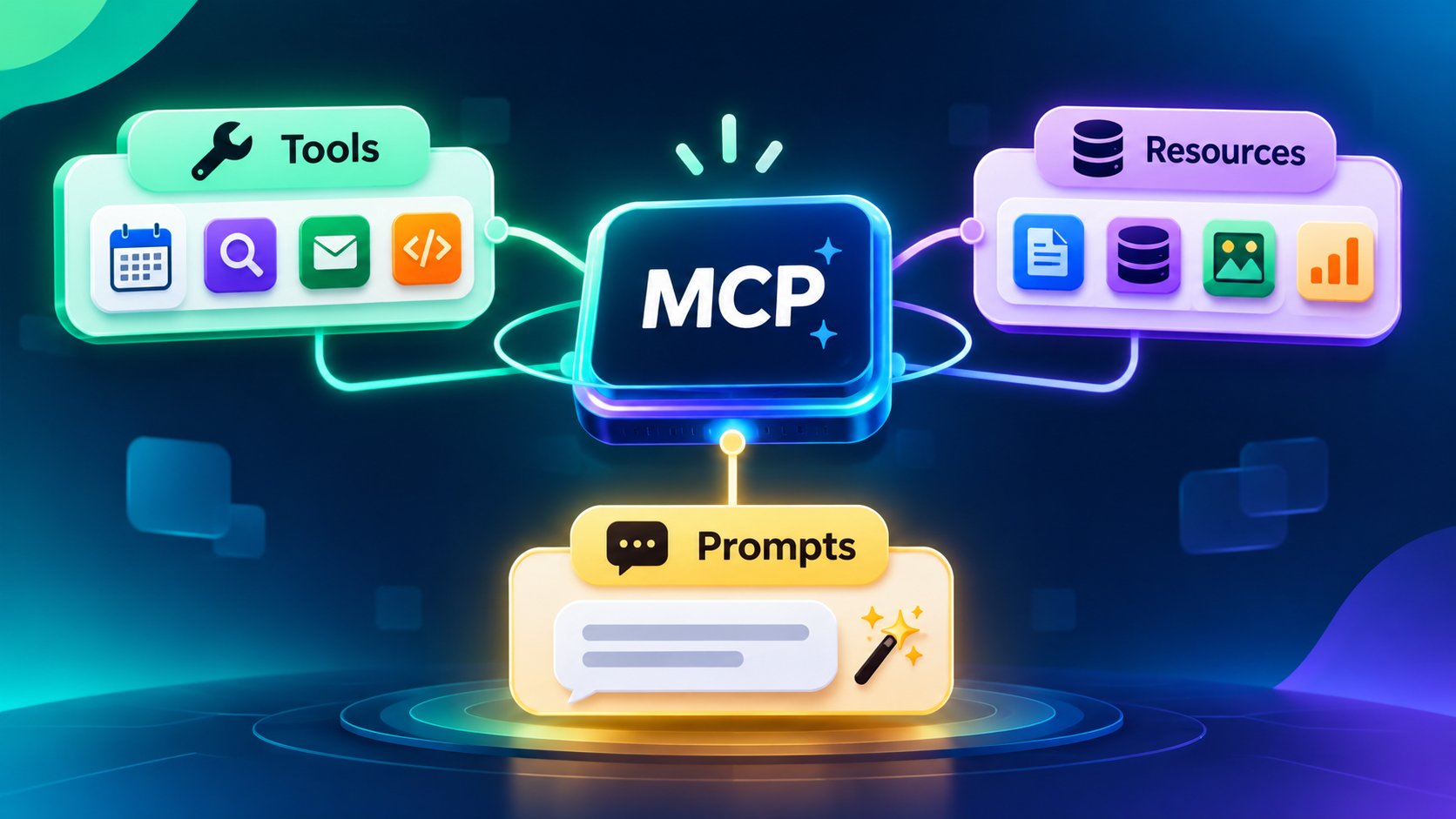
MCP servers can expose three core primitives: tools, resources and prompts. Each serves a different purpose.
1. Tools
Tools are executable functions that an AI application can invoke to perform an operation. Depending on the server and the permissions granted, a tool may read information or change something in an external system.
- Examples: create_issue, send_message and query_sql.
- Typical use: creating a ticket, sending a message or retrieving a report.
Because tools can have side effects, actions such as sending, updating or deleting data should be protected by suitable permissions and confirmation controls.
2. Resources
Resources provide data that an AI application can read as context. They are generally used to expose information rather than perform an action.
- Examples: a document, database schema, customer record or API response.
- Typical use: giving an assistant access to relevant product documentation or business information.
3. Prompts
Prompts are reusable templates made available by an MCP server. They help standardize common tasks by providing structured instructions and, where appropriate, input parameters.
- Example: a customer re-engagement email template that accepts a customer name and other relevant details.
- Typical use: making repeatable workflows easier to invoke consistently.
MCP also supports elicitation, which allows a server to request additional information or confirmation from the user when it is needed to complete an operation.
How an MCP Tool Call Works: Step by Step
A typical MCP interaction follows a sequence of connection, discovery, invocation and response. The exact connection flow depends on the protocol version and transport being used.
- Connect: The user configures or selects an MCP server in the host application. The connection may use a local process or a remote server endpoint.
- Discover: The client learns which capabilities the server supports. Depending on the protocol version, this can include listing tools, resources and prompts, and using server/discover to learn supported protocol versions and capabilities.
- Invoke: When the model determines that a tool is useful, the client sends a tools/call request with arguments that match the tool's declared input schema.
- Respond: The server executes the operation and returns a result. The response can contain text, structured data, images or other supported content.
- Continue: The host provides the result to the model. The model can use it to formulate an answer or decide whether another tool call is needed.
For example, a user might ask an AI assistant to find an open software issue and summarize its status. The assistant can use an MCP server to discover a search tool, call it with the user's query, receive the matching issue details and summarize the result.
MCP Transports: stdio and Streamable HTTP
MCP messages use JSON-RPC. A transport defines how those messages are delivered between a client and a server. The standard transports are stdio and Streamable HTTP.
stdio Transport
With stdio, the MCP client starts the server as a subprocess and exchanges newline-delimited JSON-RPC messages through stdin and stdout. This approach is useful when the server needs access to local files or developer tools. Because a local server may inherit access to the user's machine, only run servers from sources you trust and restrict the directories and permissions they can access.
Streamable HTTP Transport
Streamable HTTP is designed for MCP servers that run as independent services. In the 2026-07-28 specification, the client sends each request as an HTTP POST to the MCP endpoint. The server can return a JSON response or a Server-Sent Events (SSE) stream scoped to that request.
The earlier HTTP+SSE transport was replaced by Streamable HTTP in the 2025-03-26 protocol revision. SSE may still be used within Streamable HTTP responses, but the older standalone HTTP+SSE transport should not be confused with the current standard.
For remote deployments, implement authentication and authorization carefully. For local HTTP servers, follow the specification's security guidance, including validating Origin headers and binding to localhost where appropriate.
What Changed in the 2026-07-28 MCP Specification?
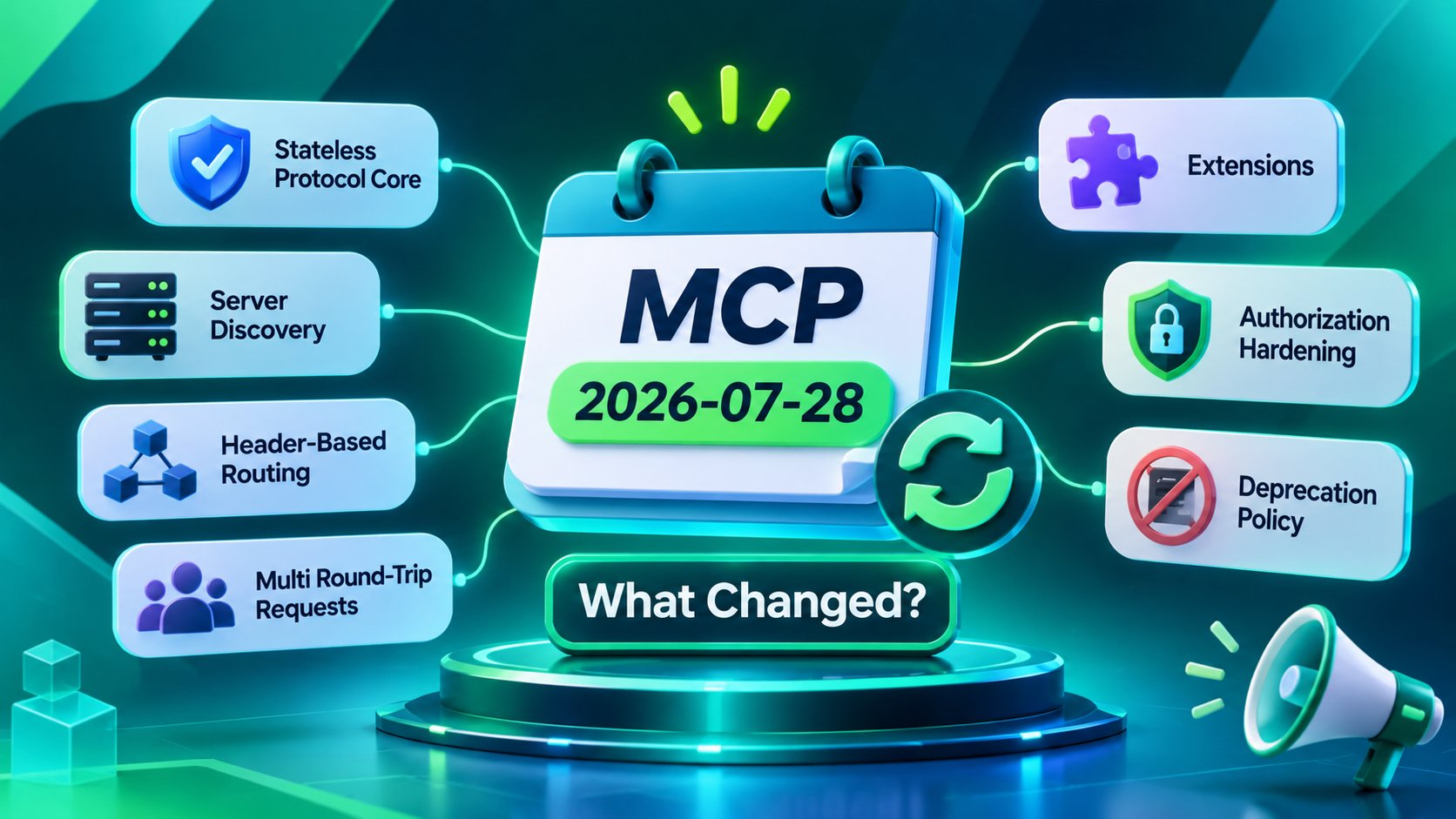
The 2026-07-28 specification introduced a major shift toward a stateless protocol core, along with changes to discovery, HTTP routing, authorization and optional extensions. Developers should check the official specification and SDK migration guidance before upgrading existing implementations.
Stateless protocol core: the initialize/initialized handshake and protocol-level Mcp-Session-Id mechanism were removed for this revision. Requests carry the information needed to identify the protocol version and client context.
Server discovery: server/discover provides an optional way for clients to learn a server's supported versions, capabilities and identity before making other requests.
Header-based routing: Streamable HTTP uses headers such as Mcp-Method and Mcp-Name to make method- and tool-level routing easier for infrastructure.
Multi Round-Trip Requests: server-to-client interactions can be handled through the revised request model without requiring a permanently open bidirectional session.
Extensions: advanced capabilities, including Tasks and MCP Apps, are organized through an extensions framework and are declared by implementations that support them.
Authorization hardening: the revision includes OAuth-related security improvements, including issuer validation.
Deprecation policy: the specification formalizes how features are deprecated, giving implementers a clearer migration path.
A stateless protocol core does not mean every application built with MCP must be stateless. An application can still maintain business state explicitly - for example, by returning an identifier from one tool call and accepting that identifier in a later call.
MCP vs APIs, Function Calling, RAG and Workflow Automation
MCP is related to several technologies used in AI development, but it solves a different part of the integration problem.
MCP vs Function Calling
Function calling is a model interaction capability: the model produces a structured request to call a function that the application has made available. The application remains responsible for defining the functions and executing them. MCP standardizes the broader connection between an AI application and external servers, including capability discovery and tool invocation. A system can use function calling internally while relying on MCP for reusable external integrations.
MCP vs RAG
RAG helps a model answer questions using retrieved information, such as internal documents or knowledge-base articles. MCP is a communication protocol that can provide access to those retrieval capabilities and to other tools. The approaches are complementary: a retrieval pipeline can be exposed through an MCP server.
MCP vs Direct API Integrations
A direct API integration connects an application to a specific service using that service's interface. An MCP server can wrap the same API and expose its capabilities through a standard protocol. The underlying API, credentials and business rules still exist; MCP standardizes the AI-facing connection rather than replacing the service itself.
Key Benefits of MCP
Reduced integration duplication: developers can build a compatible server once and reuse it across supported AI applications.
Interoperability: a common protocol makes it easier for different AI hosts and external services to work together.
Access to live context: assistants can request up-to-date information from connected systems.
Action-oriented AI: tools can let an assistant perform approved operations, not just retrieve information.
Modular architecture: hosts and servers can be developed, deployed and maintained independently.
Model flexibility: compatible integrations can be reused when an organization changes its AI model or host application.
These benefits depend on implementation quality. MCP does not automatically make an integration secure, reliable or accurate; those properties must be designed and tested.
Common MCP Use Cases
1. AI-Powered Development Environments
Coding assistants can use MCP servers to access repositories, documentation, issue trackers and development tools. This can help developers inspect code, understand project context and perform approved actions without manually switching between applications.
2. Enterprise Knowledge Assistants
An enterprise assistant can connect to approved document repositories, internal services and business systems. Employees can ask questions in natural language while the assistant retrieves relevant information from the systems they are authorized to use.
3. Database and Analytics Assistants
An MCP server can expose carefully controlled database-query tools. Users can ask questions about business performance, while the server validates queries and applies access restrictions before returning results.
4. Customer Relationship Management
A CRM-connected assistant can retrieve customer information, summarize account activity or prepare an update. Write operations should be permission-controlled and confirmed when appropriate.
5. Multi-Tool AI Agents
An agent can use multiple MCP servers in one workflow—for example, retrieving order information from a database, checking a support ticket and preparing a customer response. Each server remains responsible for its own system and permissions.
A Practical MCP Workflow Example: Analytics and Email
Consider a business that wants to identify high-value customers who have not engaged recently and prepare a re-engagement campaign. The workflow can use two MCP servers: one connected to a data warehouse and another connected to an email platform.
Connect the servers: The host connects to the data warehouse server and the email platform server.
Discover available tools: The client identifies tools such as query_sql, upsert_contacts and send_campaign.
Retrieve the customer segment: The model requests the relevant customer records through the data warehouse tool. The server applies the permitted query and returns the results.
Prepare the campaign: The model passes approved customer data to the email platform to create or update contacts and prepare a campaign.
Request confirmation: Before sending, the application asks an authorized user to confirm the audience and campaign details.
Return the outcome: The email server reports the result, and the assistant summarizes what happened.
This example illustrates how MCP can coordinate access to multiple systems. The workflow still needs business rules, data validation, access controls and approval steps- especially before sending messages to customers.
How to Get Started with MCP
The easiest way to learn MCP is to begin with a small, trusted server and expand only after you understand how the host handles permissions and tool execution.
Choose an MCP-compatible host: Select an AI application or development environment that supports MCP.
Start with a local server: A file-system server restricted to a test directory can help you understand the connection flow without exposing broad access to your machine.
Inspect the available capabilities: Review the server's tools, resources and prompts. Understand what each capability can read or change.
Test one operation at a time: Start with read-only operations, verify the returned data and review how errors are handled.
Connect a remote service: When you are ready, configure a trusted remote server and set up its required authentication.
Add more servers gradually: Introduce additional systems only when there is a clear use case, and review permissions as the environment grows.
Configuration steps vary by host, server package and SDK version. Always follow the documentation for the exact versions you are deploying.
Example: Build a Simple MCP Server in Python
The official MCP Python SDK provides tools for defining server capabilities without implementing the protocol from scratch. The following minimal example exposes an addition tool using FastMCP:
from mcp.server.fastmcp import FastMCP

mcp = FastMCP("demo")

@mcp.tool()
def add(a: int, b: int) -> int:
    """Add two numbers."""
    return a + b

if __name__ == "__main__":
    mcp.run()
Install the SDK with the package command below:
pip install "mcp[cli]"The SDK uses the function signature and documentation to describe the tool's inputs and purpose. A compatible host can then discover the tool and call it with validated arguments. Check the SDK documentation for current installation, runtime and transport configuration instructions before using the example in production.
Best Practices for Building MCP Servers
Use clear tool names and descriptions so models and users can understand each capability.
Keep tools focused on one task rather than exposing broad, ambiguous operations.
Validate every input and return structured, actionable errors.
Apply least-privilege access. Give each server only the permissions required for its intended tasks.
Separate read and write capabilities where practical, and require confirmation for sensitive actions.
Use secure authentication and authorization for remote servers.
Keep API keys and other credentials out of source code, prompts and shared configuration files.
Log important tool calls and outcomes so activity can be monitored and audited.
Pin dependency and SDK versions, test upgrades and review the protocol changelog.
MCP Security: Risks and How to Manage Them
MCP can give AI applications access to sensitive information and the ability to perform actions in external systems. Treat every server as software that needs to be reviewed, and every write-capable tool as an operation that may have real consequences.
For enterprise deployments, consider role-based access control, centralized approval of server connections, environment separation, data-loss prevention controls and regular access reviews. The host should make it clear which servers are connected and when a tool is about to perform a consequential action.
Limitations of MCP
Server quality varies: community and third-party servers may differ in reliability, maintenance and security.
Large tool catalogs can reduce clarity: too many overlapping tools can make it harder for a model to select the right capability.
The specification evolves: older tutorials and SDK examples may describe connection flows that have changed.
MCP does not replace APIs: most servers still depend on an underlying service, API, credentials and business logic.
Security remains an implementation responsibility: the protocol provides a structured way to connect systems, but it does not remove the need for careful authorization, monitoring and testing.
A successful MCP implementation therefore requires more than connecting a server. Teams should define the intended use cases, data boundaries, permissions, approval requirements and operational ownership before deploying it broadly.
Frequently Asked Questions About MCP
What does MCP stand for?

Who created the Model Context Protocol?
Is MCP limited to Claude?
What is an MCP server?
What is the difference between an MCP server and an API?
What is the difference between MCP and function calling?
Do I need programming skills to use MCP?
Which transports does MCP support?
What changed in the 2026-07-28 MCP specification?
Is MCP secure?
Can MCP connect to multiple tools at once?
Conclusion
The Model Context Protocol gives AI applications a common way to discover tools, access external data and perform approved actions across connected systems. By reducing the need for one-off integrations, MCP can make AI-powered workflows more reusable and easier to extend.
The 2026-07-28 specification moves the protocol toward a stateless core and introduces changes that developers should understand when building or upgrading MCP clients and servers. As with any system that connects AI to business data and operations, successful adoption depends on clear tool design, strong access controls, testing and monitoring.
If your organization is exploring AI agents, custom MCP servers or integrations between AI applications and business systems, Code-B can help assess the architecture and build an integration approach around your workflows. Contact the Code-B team to discuss your AI integration requirements.
How Code B Can Help You
Understanding MCP is one thing; wiring it into a real product is another. Most teams hit the same walls: connecting models to internal databases and APIs, deciding which tools an AI agent should be allowed to call, and keeping access secure as the number of integrations grows. Code B helps teams design and ship generative AI integrations that work in production, not just in a demo.
Whether you’re building MCP servers for your internal systems, adding an AI assistant to an existing platform, or connecting LLMs to the tools your team already uses, the right engineering support shortens the path from idea to a working, secure integration.
 WhatsApp
 Call Us
 Mail Us