


List of Top React Native UI Component Libraries




What Are React Native UI Component Libraries
React Native UI component libraries are collections of prebuilt, reusable elements such as buttons, forms, cards, and navigation components designed specifically for React Native apps. Instead of building every UI element from scratch, developers can use these ready-made components to create clean, consistent, and functional interfaces much faster.
It helps speed up development by providing ready to use components, improving code quality, making it easier to reuse the same elements across different screens, and ensuring a consistent look and feel throughout the app without extra effort.
It’s also important to understand how UI libraries differ from frameworks. UI libraries mainly focus on the visual side of an application, how things look and feel, by offering components and styling solutions.
Frameworks, on the other hand, go beyond just UI and provide a complete structure for building applications, including things like navigation, state management, and overall architecture. In simple terms, UI libraries help you design interfaces faster, while frameworks help you build and organize the entire app.
Types of React Native UI Libraries You Need to Know
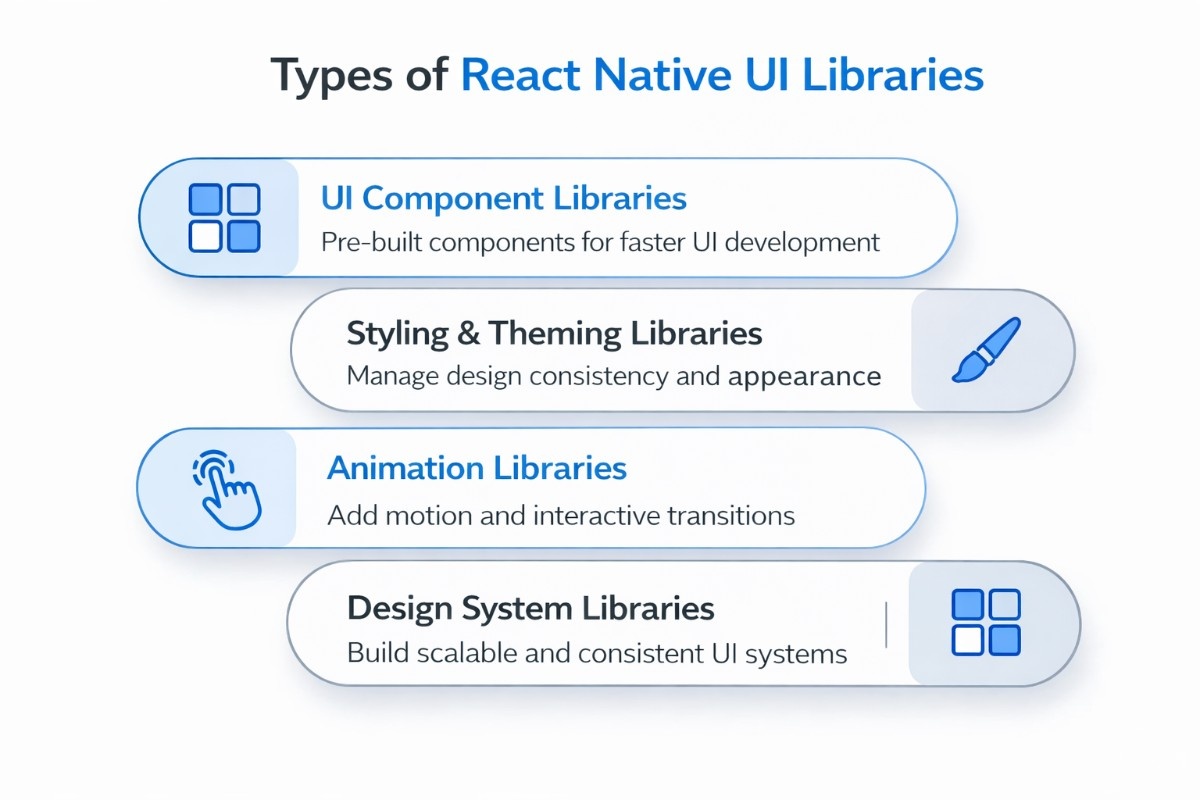
Not all React Native UI libraries serve the same purpose. Some focus on ready-made components, while others help with styling, animations, or building scalable design systems. Understanding these categories makes it easier to choose the right tools based on your project needs.
UI Component Libraries
These are the most commonly used libraries and provide pre-built components like buttons, cards, input fields, modals, and navigation elements. They help you quickly build functional interfaces without writing everything from scratch, making them ideal for rapid development and standard app layouts.
Styling & Theming Libraries
These libraries focus on how your app looks and feels. They help manage colors, spacing, typography, and overall design consistency. Many modern options follow design system principles or use utility-first approaches like Tailwind, allowing developers to style components more efficiently and maintain a consistent UI across the app.
Animation Libraries
Animation libraries are used to enhance user experience through smooth transitions, gestures, and interactive elements. They help bring interfaces to life by adding motion, improving engagement, and making interactions feel more natural and responsive.
Design System Based Libraries
These libraries are built for scalability and are often used in larger or enterprise-level applications. They provide a structured set of components, themes, and design guidelines that ensure consistency across teams and projects, making it easier to maintain and scale complex applications over time.
By covering these different types, your content aligns with a wider range of search queries and better matches what developers are actually looking for when exploring React Native UI solutions.
Top React Native Component Libraries
Choosing the right set of libraries can make a significant difference in how fast and efficiently you build your app. Below are different categories of React Native libraries, each serving a specific purpose in modern app development.
React Native UI Component Kits for Complete Design Systems
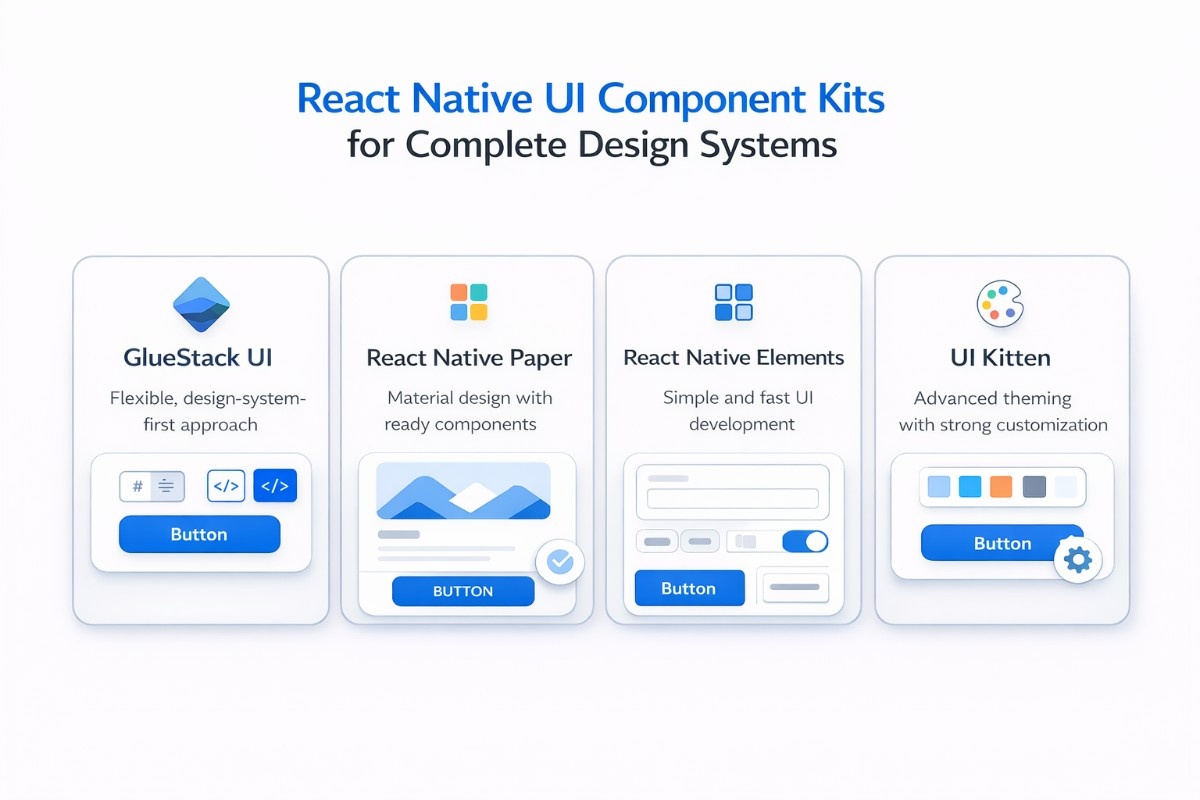
These libraries provide fully structured UI systems with pre-built components and theming support. They are ideal for building scalable apps with a consistent design across screens.
GlueStack UI
GlueStack UI is a modern, design system first library built for teams that want full control over styling without sacrificing scalability. It focuses on tokens, accessibility, and flexibility, making it a strong long-term choice for structured apps.
It has around 8K+ GitHub stars with steady adoption across production apps. If you’ve previously used NativeBase, this is its evolution and the recommended migration path.
The code below shows a minimal setup with installation and a basic button component. This helps you quickly understand how components are structured and how easily you can start building UI with its theming system.
npm install @gluestack-ui/themedimport { GluestackUIProvider } from '@gluestack-ui/themed';
import { config } from '@gluestack-ui/config';
// Write this code snippet at the root of your application
function App({ children }) {
return <GluestackUIProvider config={config}>{children}</GluestackUIProvider>;
}What makes GlueStack valuable is its balance between utility-first styling and component abstraction. You get prebuilt components, but you’re not locked into rigid design rules.
The theming system is powerful and works well for light and dark modes without hacks. The biggest advantage is flexibility at scale, especially for teams building custom design systems, though the learning curve is slightly higher and the ecosystem is still growing.
React Native Paper
React Native Paper is one of the most stable and widely used UI libraries, built around Material Design principles. With around 11K+ GitHub stars and very high npm usage, it’s often the default choice for developers who want a polished UI without heavy customization work.
The code below demonstrates a simple installation and usage of a Material-style button. It helps you see how quickly you can implement consistent UI components with minimal setup.
npm install react-native-paperimport { Button } from 'react-native-paper';
<Button mode="contained">Press me</Button>Its biggest strength is consistency. You get well-designed components like buttons, cards, dialogs, and inputs that follow Material guidelines out of the box. The theming system is simple and supports dark mode easily, which makes it practical for real-world apps.
The limitation is that customization can feel restrictive if you want a unique design beyond Material standards. It is suited for apps that want a clean, consistent UI based on Material Design with fast implementation.
React Native Elements
React Native Elements is known for its simplicity and large set of ready-to-use components. With over 23K+ GitHub stars, it has been a go-to library for beginners and teams building MVPs quickly.
The code below shows how to install the library and render a basic button component. It highlights how easy it is to start using the library without complex setup or configuration.
npm install @rneui/themedimport { Button } from '@rneui/themed';
<Button title="Click me" />The main strength of elements here is the speed of development. You can build interfaces quickly without worrying too much about structure, and the API is straightforward to understand.
However, it can feel less flexible when building highly customized design systems, and some components may feel slightly heavy in larger apps. It is perfect for beginners, MVPs, and projects where development speed matters more than deep customization.
UI Kitten
UI Kitten is built on the Eva Design System and is known for its powerful theming capabilities. It has around 10K+ GitHub stars and is often chosen when branding and visual consistency are a priority.
The code below shows a simple install and button usage. It gives a quick idea of how components are structured, while the real strength lies in its deeper theming system.
npm install @ui-kitten/components @eva-design/evaimport { Button } from '@ui-kitten/components';
<Button>Press me</Button>What stands out is its theme configuration. You can deeply customize colors, typography, and spacing while keeping a consistent structure across the app.
It also supports dark mode natively. The initial setup and theming system can feel complex, especially for beginners, but it becomes powerful once understood. It is best for apps that require strong branding, theme customization, and design consistency.
React Native Styling Libraries for Modern Apps
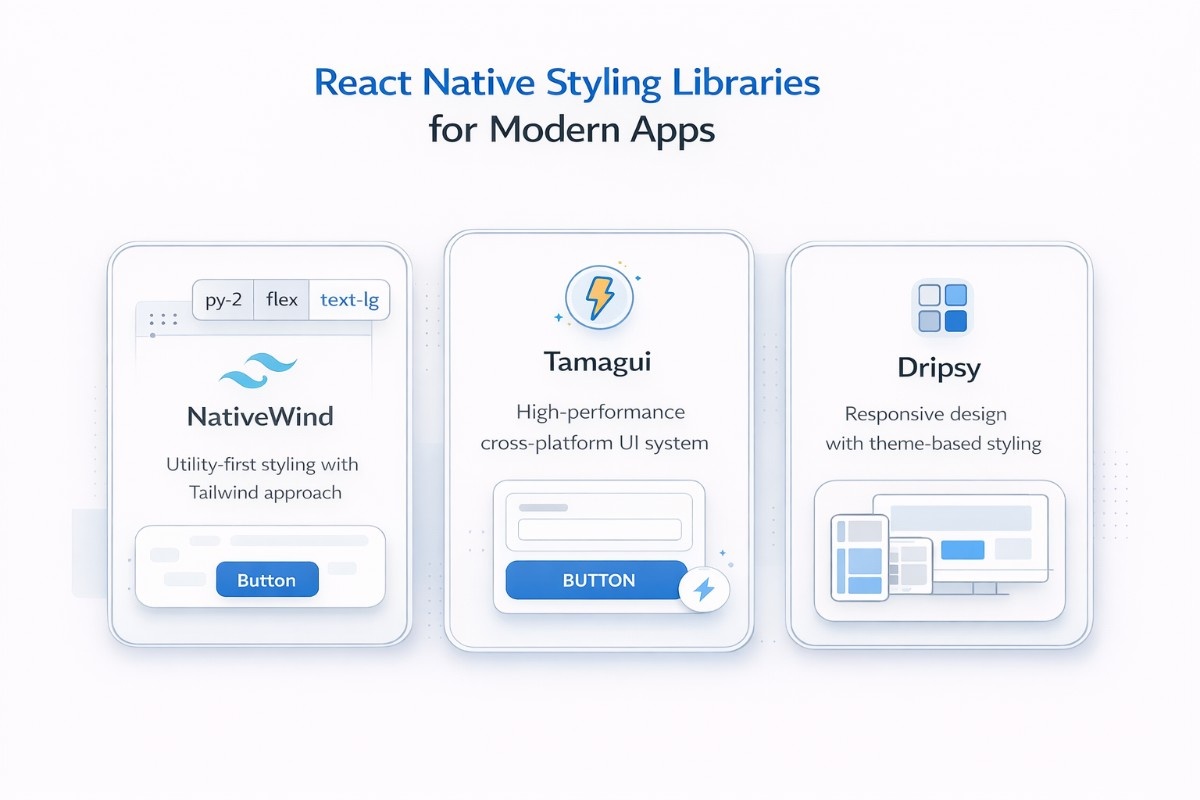
Styling libraries focus on how your app looks and feels, offering flexible ways to manage layouts, colors, and themes. They help maintain design consistency while speeding up UI development.
NativeWind
NativeWind brings Tailwind CSS into React Native in a way that is both practical and performance-focused. It compiles Tailwind classes into native stylesheets at build time instead of interpreting them at runtime, which makes it significantly faster. It also supports Expo SDK 54, making it easy to integrate into modern setups.
The code below shows how to install NativeWind and apply utility classes using( className ). It helps you immediately understand how Tailwind-style development translates into React Native.
npm install nativewindimport { Text, View } from 'react-native';
<View className="flex-1 items-center justify-center bg-black">
<Text className="text-white">Hello NativeWind</Text>
</View>The biggest advantage of NativeWind is speed combined with familiarity. If you already know Tailwind, you can move very fast and maintain clean, readable styling, and if your project spans both a React web app and a React Native mobile app, that shared mental model becomes especially valuable since the same utility-first approach used on the web side, too.
The limitation is that it does not provide prebuilt UI components, so you still need to build everything manually. Ideal for developers who prefer Tailwind and want fast, utility-first styling with high performance.
Tamagui
Tamagui is designed for performance and cross-platform development, allowing you to build both web and mobile apps from a single codebase. Its core strength lies in its compiler, which optimizes styles and components to reduce runtime overhead.
The code below shows a simple installation and button usage. It helps you understand how quickly you can start using its component system while benefiting from performance optimizations behind the scenes.
npm install tamaguiimport { Button } from 'tamagui';
<Button>Click me</Button>This makes Tamagui highly efficient for large-scale applications where performance matters. It also includes a design system and components, reducing the need for additional libraries.
The trade-off is a more complex setup and a steeper learning curve compared to simpler tools. It is better for cross-platform apps (web + mobile) where performance and scalability are critical.
Dripsy
Dripsy focuses on responsive design and simplicity, offering a clean approach to building consistent layouts across devices. It uses a theme-based system and an sx prop for styling.
The code below shows installation and a responsive text example. It demonstrates how easily you can define styles that adapt across screen sizes.
npm install dripsyimport { Text } from 'dripsy';
<Text sx={{ fontSize: [14, 18], color: 'primary' }}>
Responsive text
</Text>Its strength is how naturally it handles responsive layouts, which can otherwise be difficult in React Native. It is lightweight and easy to use, but it does not provide a wide range of prebuilt components, so more work is required when building UI from scratch. It is best for projects that prioritize responsive design and lightweight styling systems.
React Native Animation Libraries for Smooth UI
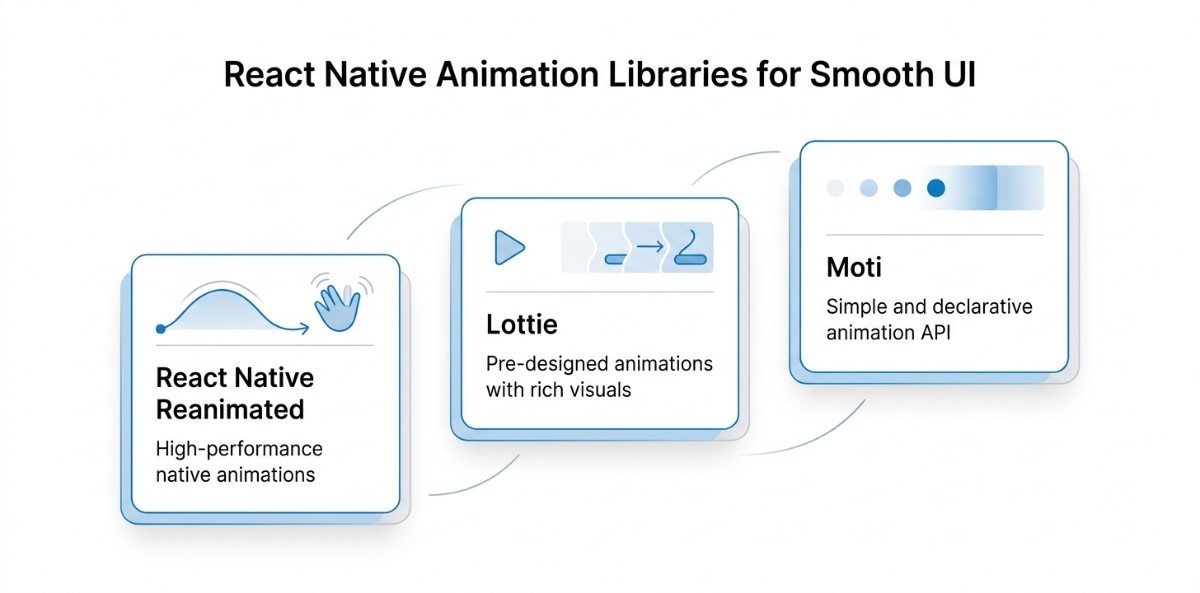
Animation libraries enhance user experience by adding smooth transitions and interactive elements. They are essential for creating engaging and responsive app interfaces.
React Native Reanimated
React Native Reanimated is the most powerful animation library in the ecosystem today. Its biggest advantage is that animations run on the native UI thread instead of the JavaScript thread, which eliminates lag and ensures smooth performance even in complex interactions.
The code below shows the basic setup import required to start working with animations. It helps you understand the foundation of how animations are structured using shared values and animated styles.
npm install react-native-reanimatedimport Animated, { useSharedValue, useAnimatedStyle } from 'react-native-reanimated';This makes it ideal for gesture-based animations and advanced UI interactions. It has effectively replaced the older Animated API in most modern applications.
The trade-off is a steeper learning curve and slightly more complex setup, but the performance gains are significant. It works best for complex, high-performance animations and gesture-driven interactions.
Lottie for React Native
Lottie for React Native allows you to use high-quality animations created in tools like After Effects and export them as JSON files. It is widely used for onboarding screens, loaders, and visual enhancements.
The code below shows how to install and render a Lottie animation. It helps you quickly integrate designer-created animations without writing animation logic manually.
npm install lottie-react-nativeimport LottieView from 'lottie-react-native';
<LottieView source={require('./animation.json')} autoPlay loop />Its biggest strength is visual quality and ease of use. You can add polished animations with minimal effort.
However, it is limited in interactivity and depends on external design assets, which may not suit all use cases. It is used for adding high-quality pre-designed animations like loaders, onboarding, and visual polish.
Moti
Moti is built on top of Reanimated and simplifies animation workflows with a more declarative API. Moti is gaining popularity because it allows developers to implement animations quickly without dealing with low-level complexity.
The code below shows a simple fade-in animation. It helps you understand how easily you can define animations using a clean and readable syntax.
npm install motiimport { MotiView } from 'moti';
<MotiView from={{ opacity: 0 }} animate={{ opacity: 1 }} />The advantage of Moti is speed and simplicity. It reduces the effort required to implement common animations while still leveraging the power of Reanimated underneath.
The limitation is reduced flexibility for highly complex animations. It is suitable for simple, quick animations and transitions without deep configuration.
Essential React Native Utility Libraries
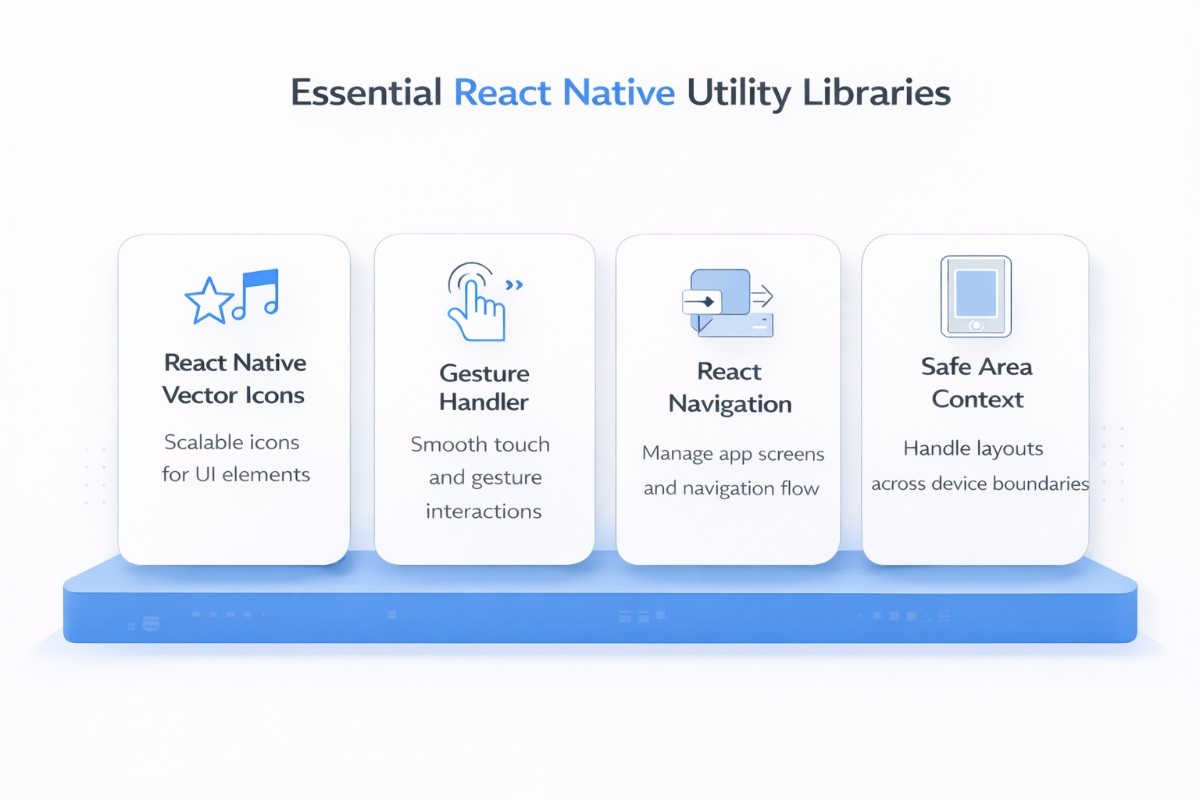
These aren’t UI kits, but they are part of almost every React Native project. They handle the fundamentals, icons, navigation flow, gestures, and safe layouts, so your UI actually works smoothly in production.
React Native Vector Icons
React Native Vector Icons is the default solution for adding scalable icons in React Native apps, with access to 3,000+ icons from popular sets like Ionicons and Material Icons. With ~18K+ GitHub stars, it’s widely adopted across production apps.
The code below shows installation and a simple usage example with styling. This helps you quickly integrate icons into buttons, headers, or tab bars with full control over size and color.
npm install react-native-vector-iconsimport Icon from 'react-native-vector-icons/Ionicons';
import { View } from 'react-native';
export default function Example() {
return (
<View>
<Icon name="home-outline" size={28} color="#4F46E5" />
</View>
);
}Its biggest strength is flexibility and performance. Icons scale without losing quality and are easy to customize.
The only limitation is initial linking/setup in some environments, but once done, it becomes a core dependency. It is ideal for adding consistent, scalable icons across navigation, buttons, and UI elements.
React Native Gesture Handler
React Native Gesture Handler replaces the default touch system with a more powerful and native-driven approach. It is essential for building smooth interactions like swipes, drag-and-drop, and gesture-based animations.
The code below shows a proper setup with a gesture handler, root view, and a basic tap gesture. This gives you a clear starting point for implementing gesture-driven UI.
npm install react-native-gesture-handlerimport 'react-native-gesture-handler';
import { GestureHandlerRootView, TapGestureHandler } from 'react-native-gesture-handler';
import { Text } from 'react-native';
export default function App() {
return (
<GestureHandlerRootView style={{ flex: 1 }}>
<TapGestureHandler onActivated={() => console.log('Tapped')}>
<Text style={{ marginTop: 100, textAlign: 'center' }}>
Tap me
</Text>
</TapGestureHandler>
</GestureHandlerRootView>
);
}Its advantage is smooth performance because it works closer to the native layer. It’s especially powerful when combined with animation libraries like Reanimated. The downside is that setup and integration can be slightly tricky for beginners. It is mostly used for swipe gestures, drag interactions, and gesture-based animations.
React Navigation
React Navigation is the most widely used navigation library in React Native, with ~23K+ GitHub stars. It provides everything you need to manage screens, stacks, tabs, and deep linking in a scalable way.
The code below shows a complete minimal setup with a stack navigator. This helps you understand how screens are structured and how navigation flows between them.
npm install @react-navigation/native @react-navigation/native-stackimport * as React from 'react';
import { NavigationContainer } from '@react-navigation/native';
import { createNativeStackNavigator } from '@react-navigation/native-stack';
import { View, Text, Button } from 'react-native';
const Stack = createNativeStackNavigator();
function HomeScreen({ navigation }) {
return (
<View>
<Text>Home Screen</Text>
<Button title="Go to Details" onPress={() => navigation.navigate('Details')} />
</View>
);
}
function DetailsScreen() {
return (
<View>
<Text>Details Screen</Text>
</View>
);
}
export default function App() {
return (
<NavigationContainer>
<Stack.Navigator>
<Stack.Screen name="Home" component={HomeScreen} />
<Stack.Screen name="Details" component={DetailsScreen} />
</Stack.Navigator>
</NavigationContainer>
);
}Its strength lies in flexibility and scalability. You can build anything from simple flows to complex nested navigation structures. The trade-off is slightly more setup compared to basic routing solutions. It is essential for managing navigation structure in any React Native app.
React Native Safe Area Context
React Native Safe Area Context ensures your UI respects device boundaries like notches, status bars, and rounded edges. Without it, layouts can easily break on modern devices.
The code below shows how to wrap your app with a provider and safely render content using ( SafeAreaView ). This ensures your UI automatically adapts to different screen shapes.
npm install react-native-safe-area-contextimport { SafeAreaProvider, SafeAreaView } from 'react-native-safe-area-context';
import { Text } from 'react-native';
export default function App() {
return (
<SafeAreaProvider>
<SafeAreaView style={{ flex: 1 }}>
<Text style={{ margin: 16 }}>Safe area content</Text>
</SafeAreaView>
</SafeAreaProvider>
);
}Its strength lies in solving layout issues that are otherwise hard to manage manually. This safe area context works smoothly with most UI libraries and navigation systems. There are no major downsides, but it’s often overlooked by beginners. It is used for ensuring consistent layouts across devices with notches and varying screen sizes.
React Native UI Libraries for Enterprise and Large Teams
.jpeg)
These libraries are designed for adaptable and structured development across teams. They help maintain consistency, improve collaboration, and support long-term application growth.
Shopify Restyle
Shopify Restyle is a design-system-first styling library built with scalability and type safety in mind. It is used internally by Shopify, which makes it a strong indicator of production readiness for large-scale applications.
The code below shows a basic installation and usage of a themed component. It helps you understand how styling is driven through predefined design tokens.
npm install @shopify/restyleimport { createBox } from '@shopify/restyle';
const Box = createBox();
<Box padding="m" backgroundColor="primary" />Its biggest strength is its theme-token-first approach combined with strong TypeScript support. It ensures consistency across large codebases and reduces styling errors.
However, it requires a structured design system to fully benefit from it, which makes it less suitable for quick projects.
Teams that haven't yet established that structure often find it helpful to look at a design pattern that is approached at the code level before choosing a library this opinionated.
React Native UI Lib (Wix)
React Native UI Lib (RNUI) by Wix is a production-grade UI library that offers over 60 ready-to-use components. This UI Lib is actively maintained and used in real-world applications at scale, which adds strong credibility.
The code below shows installation and simple button usage. It helps you quickly understand how to start using its component set in a real app.
npm install react-native-ui-libimport { Button } from 'react-native-ui-lib';
<Button label="Click me" />Its strength lies in its balance between ready-made components and production readiness. It supports both the old and new React Native architecture, making it future-proof. The limitation is that it is more opinionated compared to lower-level styling libraries. It is suited for enterprise-grade apps that need reliable, production-ready components with minimal setup.
Quick Overview of Top 5 React Native UI Libraries
Choosing the right UI library can directly impact your app’s speed, scalability, and development time. This quick comparison breaks down the top options so you can evaluate them at a glance and make a confident decision faster.
There’s no single “best” library; it depends on your project goals. If you prioritize speed, go simple; if you need flexibility or performance, choose a more structured solution that can grow with your app.
Choosing the Right React Native UI Library for Your Project
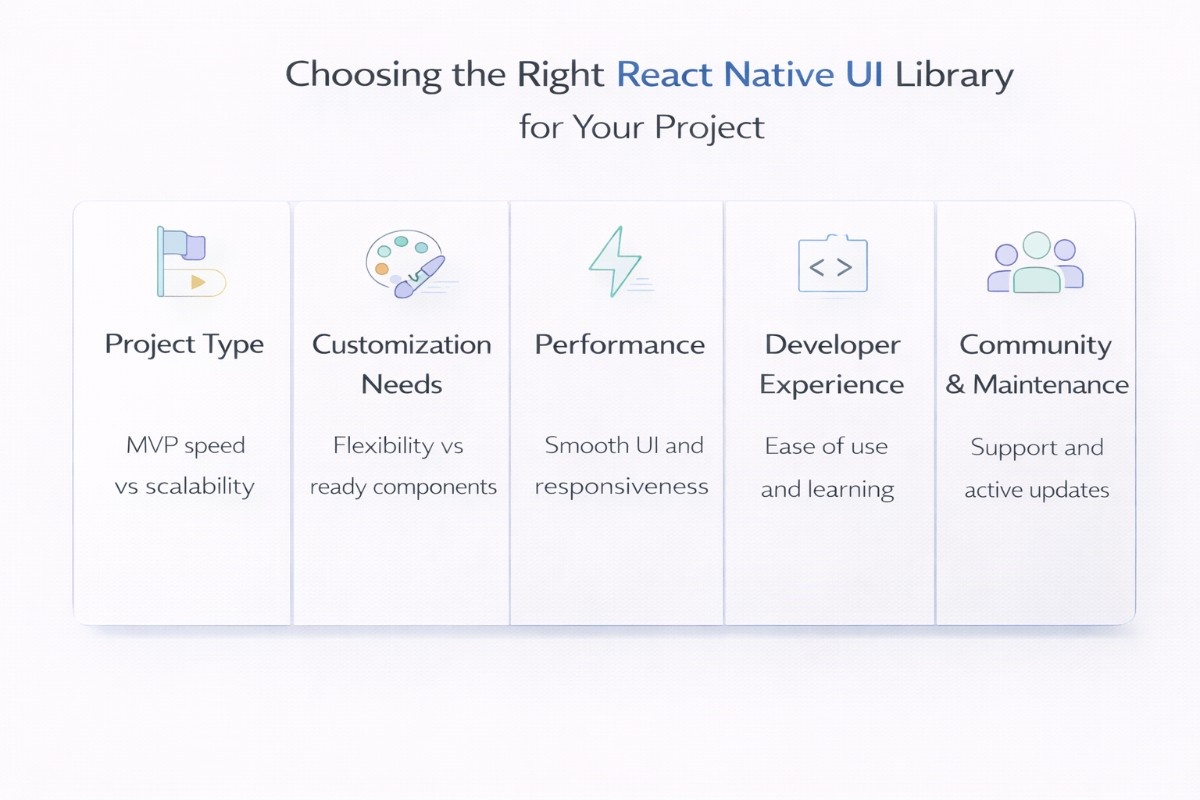
Choosing the right React Native UI library isn’t just about features; it’s about how well the library fits your project goals, team capabilities, and long-term scalability. Instead of going with the most popular option, it’s smarter to evaluate a few practical factors that directly impact development speed, performance, and maintainability over time.
Project Type
If your goal is to launch an MVP quickly, you need a library that is simple, lightweight, and easy to work with. These libraries help you focus on building core features instead of spending time on UI from scratch, and since UI decisions can impact overall spend on building a mobile app, getting this right early is crucial. They're ideal when speed matters more than deep customization, especially in early-stage products.
For enterprise-level or long-term products, the approach should be different. You’ll need a library that supports scalability, structured theming, and consistency across multiple screens and teams. Choosing a scalable solution early helps avoid major rework as your application grows.
Customization Needs
Design requirements play a big role in selecting the right library. If your app relies heavily on branding, custom UI elements, or unique user experiences, you should go for libraries that offer strong theming and flexible styling options. This allows you to maintain a distinct visual identity.
On the other hand, if your priority is speed and simplicity, libraries with ready-made components and minimal customization can be more effective. They reduce decision fatigue and help you focus on functionality rather than design complexity.
Performance Requirements
Performance becomes crucial when your app includes animations, gestures, or handles high user interactions. Some libraries are optimized for smooth rendering and better responsiveness, which is essential for delivering a seamless user experience.
It’s also important to think long-term. A library that performs well in small apps might not scale efficiently as your app grows. Evaluating performance early helps prevent issues like lag, slow transitions, or increased load times later.
Developer Experience
A good developer experience can significantly improve productivity. Libraries with clear documentation, simple APIs, and active examples make it easier for developers to implement features without confusion or delays.
Additionally, consider how easy it is for new team members to get started. A library with a steep learning curve can slow down onboarding and create dependency on specific developers, which can impact team efficiency in the long run.
Community & Maintenance
The strength of a library’s community often reflects its reliability. Actively maintained libraries with frequent updates are more likely to stay compatible with the latest React Native versions and fix issues quickly.
You should also check factors like GitHub activity, community discussions, and available support resources. A well-supported library reduces risks and ensures that your app remains stable and maintainable over time.

React Native UI Libraries Based on Real Use Cases
Not every React Native UI library fits every project. The right choice often depends on what you’re building, how fast you need to move, and how much flexibility or performance you require. Breaking it down by use case makes the decision much clearer and more practical.
MVP Development
If your goal is to launch quickly and validate an idea, you need a library that is simple, lightweight, and easy to work with. Libraries like React Native Elements or React Native Paper are great in this case because they offer ready-to-use components and require minimal setup.
These libraries help you focus on building core features instead of spending time on UI from scratch. They’re ideal when speed matters more than deep customization, especially in early-stage products.
Enterprise Applications
For large-scale or long-term projects, scalability and consistency become critical. Libraries like NativeBase or Gluestack UI are better suited here as they support structured design systems, theming, and reusable components across teams.
This structure also travels well across distributed setups; teams building mobile apps across multiple locations find that shared component systems cut down on misalignment and rework considerably.
They help maintain consistency across different parts of the app and make it easier to manage complex UI as the product grows. This becomes especially important when multiple developers are working on the same project.
Custom UI Design
If your app requires a unique look and strong branding, you’ll need a library that allows deeper customization. UI Kitten, Tamagui, or Restyle are good options as they provide flexible theming and design control.
These libraries give you the freedom to build a distinct UI while still maintaining structure. They are ideal for products where design plays a major role in user experience.
High-Performance Apps
When your app includes complex animations, gestures, or needs to handle high interaction smoothly, performance becomes a priority. Libraries like Tamagui and React Native Reanimated are built with performance in mind.
They help ensure smooth transitions and responsiveness, which directly improves the overall user experience. This is especially useful for apps where fluid interactions are a key part of the interface.
Rapid Prototyping
For quick experiments, demos, or early-stage concepts, you need tools that let you build interfaces fast without worrying too much about structure. React Native Elements and NativeWind are useful here due to their simplicity and speed.
They allow you to quickly create and test UI ideas, making them perfect for prototyping before committing to a more structured or scalable solution.
Latest Trends in React Native UI Development
React Native UI development is evolving rapidly, with a strong shift toward performance, scalability, and modern styling approaches. In 2026, the focus is no longer just on building and optimize cross-platform apps; it’s about building high-performance, design-consistent, and future-ready applications using the right UI tools and architecture.
Tailwind in React Native (NativeWind)
Utility-first styling is becoming mainstream in React Native, largely driven by libraries like NativeWind. Developers are increasingly adopting Tailwind-style approaches because they make styling faster, more consistent, and easier to scale across large projects.
According to recent data, NativeWind usage has grown to around 42% among React Native developers, showing strong adoption in modern workflows. This trend highlights a clear shift toward utility-based styling over traditional StyleSheet approaches.
Rise of Performance-First Libraries (Tamagui)
Performance is now a top priority, especially for apps with complex UI and high interaction. Libraries like Tamagui are gaining traction because they optimize performance at the build level rather than runtime, resulting in faster rendering and smoother user experiences.
In fact, apps built with Tamagui have shown 30–40% faster load times compared to traditional UI libraries, making it a strong choice for performance-focused applications. This is why more teams are adopting performance-first UI solutions in 2026.
Design Systems Are Becoming the Standard (Gluestack UI)
There is a clear shift toward structured, reusable design systems, especially in enterprise applications. Libraries like Gluestack UI are built with flexibility in mind, allowing teams to maintain consistency across large apps and multiple developers.
React Native itself is seeing broader enterprise adoption, with around 45% usage in enterprise-level applications, which further drives the need for effortless design systems.
This makes design-system-based libraries a key trend moving forward for teams still evaluating whether React Native is the right foundation altogether; how it holds up against other cross-platform frameworks is a practical place to start that decision.
Impact of the New Architecture (Fabric & TurboModules)
One of the biggest shifts in React Native is the adoption of the new architecture, including Fabric and TurboModules. This change significantly improves how UI updates are handled by reducing the communication gap between JavaScript and native components, resulting in faster and smoother rendering.
In 2026, this architecture is no longer optional; it’s becoming the standard. React Native now holds around 35–38% share in the cross-platform development ecosystem, showing its continued dominance and adoption despite increasing competition.
Along with this, Fabric enables faster UI updates with lower latency, making modern apps feel more responsive and closer to native performance.
What This Means for Developers
All these trends point in one direction; React Native UI development is becoming more performance-focused, system-driven, and built for growth ready app development solutions.
It’s no longer just about building cross-platform apps quickly, but about building apps that can handle real-world complexity with smooth performance and consistent design.
For developers and teams, this means choosing UI libraries that align with the new architecture and modern development practices.
Adapting early to these changes not only improves app performance but also ensures your tech stack remains future-ready as the ecosystem continues to evolve.
Common Challenges in React Native UI Libraries
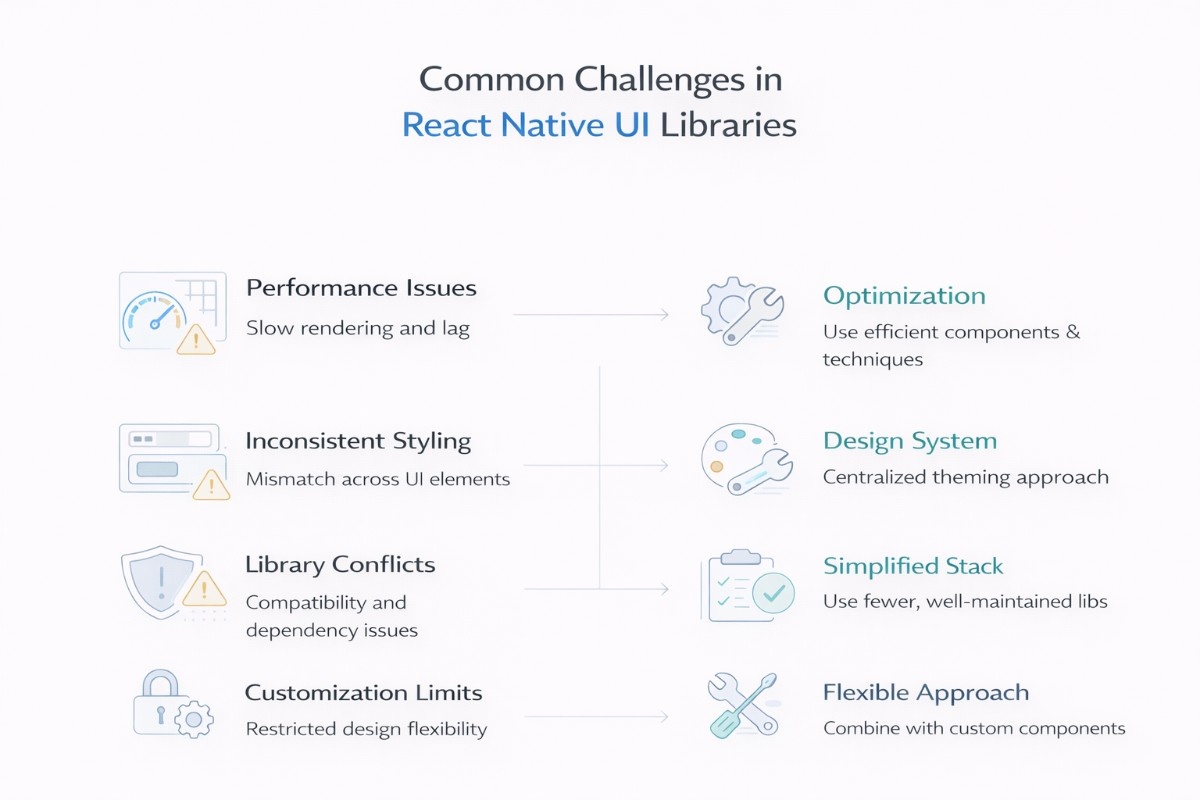
While React Native UI libraries make development faster, they also come with certain challenges that can impact performance, consistency, and scalability if not handled properly. Being aware of these issues and knowing how to solve them helps you build more reliable and maintainable applications.
Performance Issues
Some UI libraries can introduce performance overhead, especially when your app includes heavy components, animations, or large-scale screens. This can lead to slower rendering, laggy interactions, or increased load times if not optimized properly.
To handle this, choose libraries that are optimized for performance and avoid overloading your app with unnecessary components. Use techniques like lazy loading, memoization, and optimized animations (for example, using Reanimated where needed).
It’s also important to test performance early instead of waiting until the app scales, and understanding what structured performance testing actually involves helps you know what to measure and when to catch issues before they reach production.
Inconsistent Styling
When multiple libraries or styling approaches are used together, maintaining a consistent design can become difficult. You may end up with mismatched components, spacing issues, or inconsistent UI patterns across screens.
A practical way to solve this is by defining a clear design system from the beginning. Stick to one primary UI library and use centralized theming for colors, typography, and spacing. This ensures consistency and makes your UI easier to manage as the project grows.
Library Conflicts
Using multiple libraries can sometimes lead to compatibility issues, dependency conflicts, or unexpected bugs, especially when libraries rely on different versions of packages or native modules.
To avoid this, keep your tech stack as simple as possible and avoid mixing too many overlapping libraries. Always check compatibility with your React Native version and prefer well-maintained libraries with active updates. Regularly updating dependencies also helps prevent long-term issues.
Customization Limits
Some UI libraries are designed for speed and simplicity, which can limit how much you can customize components. This becomes a challenge when your app requires a unique design or specific user experience.
To overcome this, choose libraries that support theming and extensibility if customization is important for your project. In cases where a library falls short, you can combine it with custom components instead of forcing it to fit every requirement. This gives you more control without compromising development speed.
By addressing these challenges early, you can make better decisions when selecting and using UI libraries. This not only improves your development workflow but also ensures your app remains scalable, consistent, and high-performing over time.
Final Thoughts
Choosing the right UI library ultimately comes down to understanding your project requirements and aligning them with each library's strengths. Whether you’re building a quick MVP, a highly customized product, or a flexible enterprise application, the right choice can significantly impact your development speed, performance, and long-term maintainability.
Instead of focusing on what’s most popular, focus on what fits your use case, consider factors like customization, performance, scalability, and developer experience. An early, well-informed decision not only simplifies development but also helps you avoid limitations as your app grows.
If you’re unsure which library best suits your project or need help building an effortless, high-performance React Native application, the team at Code B can help you choose and implement the right solution tailored to your goals.
FAQs

 WhatsApp
 Call Us
 Mail Us